

Add Products by Barcode in Sale, Purchase and Invoice
Add Products by scanning barcode to avoid mistakes and make work faster in Sale, Purchase and Invoice order. When barcode is scanned it will First search for related barcode and after that it will check for matching Internal reference.
You can add multiple qty of same product also by scanning same barcode multiple time.
Simple and Ready-to-Use
Just Scan Bar-code in form view of Invoice(Product Bar-code/Reference) and it will add new line. If there is already line with same product it will increase qty by plus one.
Just Scan Bar-code in form view of Sale(Product Bar-code/Reference) and it will add new line. If there is already line with same product it will increase qty by plus one.
Simply install it, and the barcode scanning functionality is ready to streamline your purchasing process.
Just scan the product's barcode or reference directly in the Purchase Order form view, and a new line will be added.
If a line for that product already exists, its quantity will automatically increase by one.
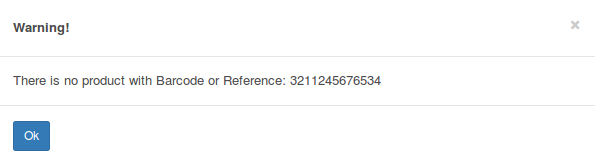
Error message when no matching product found
Configuration & Customization
Designed for Odoo ease-of-use, this module requires zero technical knowledge to deploy. Simply install it and the functionality is ready to use. Our dedicated technical team is available for advanced customization to match your specific requirements.