

Hospital Next Patient Waiting Screen
Live, auto-refreshing queue display for your waiting room TV.
Keep your waiting area organised with a live display that shows who is being called now and who is next — on any TV or monitor, no login needed.
A professional waiting experience for your patients
Reduce reception queries and patient anxiety. Display the current and upcoming appointments on a TV in the waiting hall. The screen reads live data from your appointments and updates itself, so the front desk never has to call out names.
Clear "NOW" Indicator
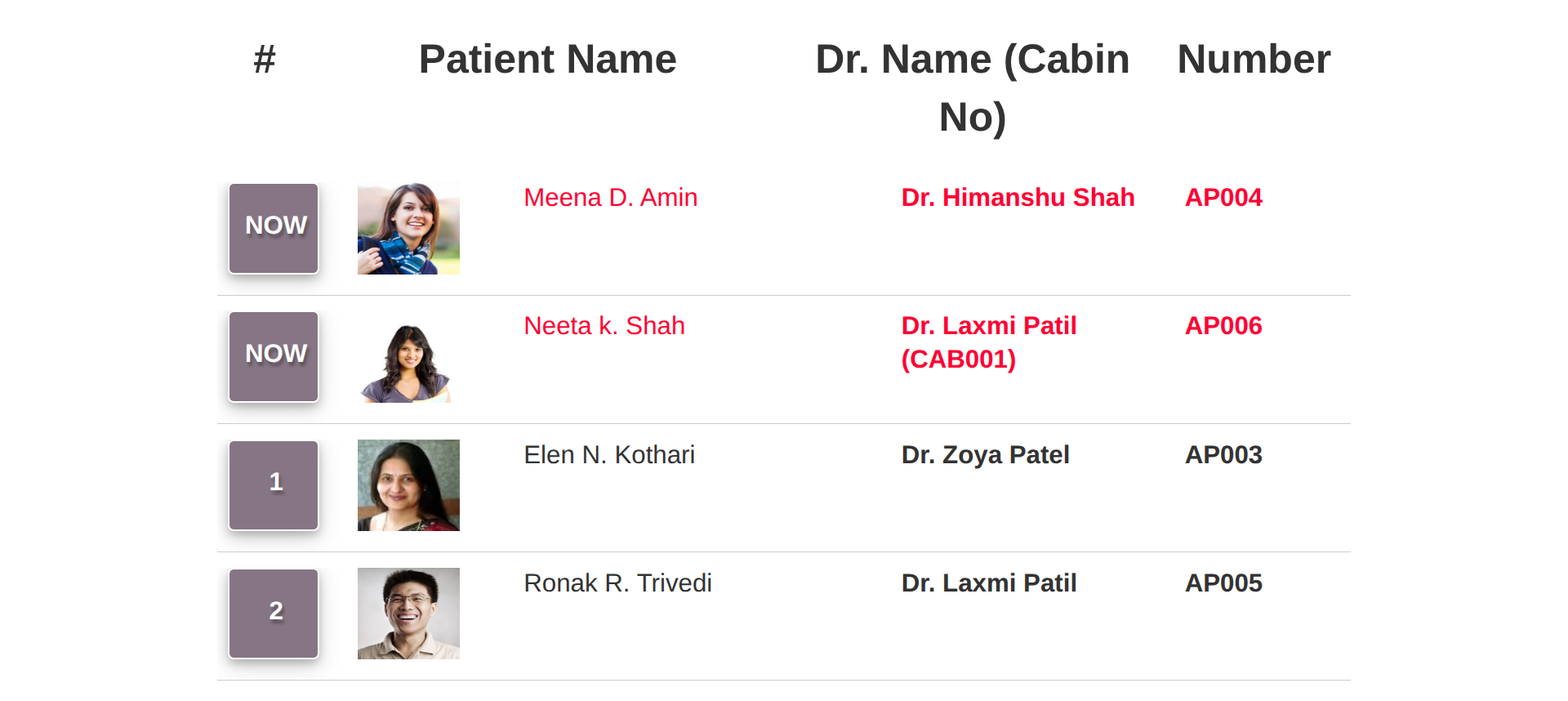
Patients currently in consultation are highlighted with a NOW badge and a configurable colour, followed by the waiting queue numbers.
Patient Name & Photo
Show the patient photo and name, the doctor name, cabin / room and appointment number - or hide the patient details for privacy.
Auto-Refreshing
The list refreshes on its own at an interval you choose, so no manual reloads are required.
Open Anywhere with a Link
Every screen has a unique secure URL. Open it on any smart TV, tablet or PC - no Odoo login required.
Video & Clock Panel
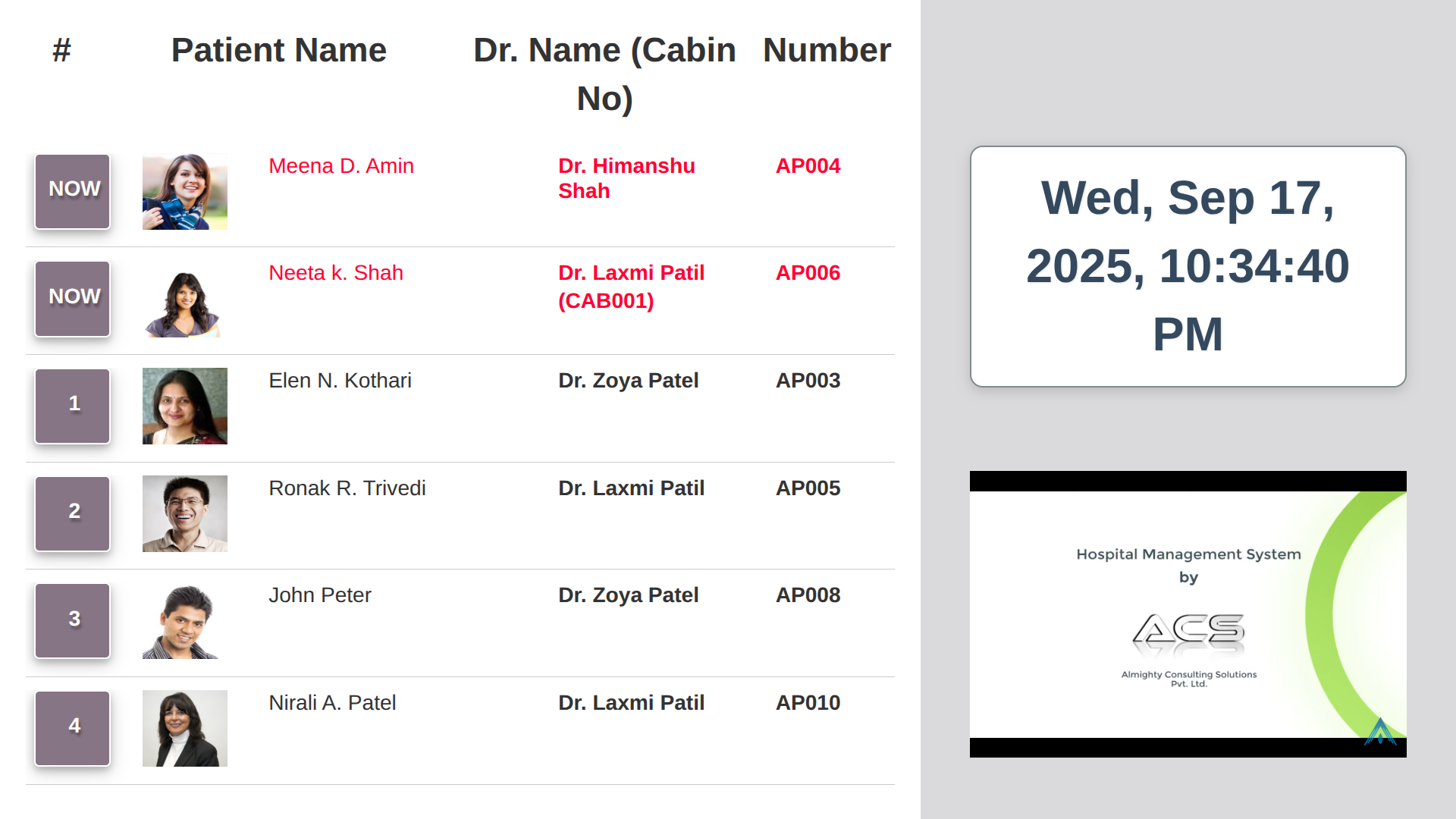
Add a YouTube video (health tips, hospital promo) and a live date-time clock beside the queue.
Filter by Doctor
Create separate screens per doctor, department or floor by selecting the physicians to display.
Flexible enough for any clinic or hospital
See it in action
A look at the screens you will work with.
Next Patient Queue
A clean, large-font queue readable from across the room. The patient being seen is shown as NOW in red, followed by numbered waiting patients, with doctor, cabin and appointment number.
Queue with Video & Date-Time Panel
Add a live clock and a YouTube video on the right side to keep patients informed and engaged while they wait.
Explore our other applications
Complete your hospital and business workflow with more apps from Almighty Consulting Solutions.
Configuration & Customization
A default Appointment: Next Patient Screen is created on install, so you can open it right away. Need a custom layout, branding or token-number announcement? Our technical team is happy to help.