
Artificial Intelligence for Odoo
Connect leading AI providers directly to your Odoo instance. A security-first AI assistant that reads, searches, creates, and updates your data strictly within each user's own access rights - never beyond.
Your Data, Your Rules
The AI never sees what the user cannot see.
⭐ Key Features
Everything you need to deploy AI safely across your Odoo instance.
AI Agents
Create multiple AI agents with distinct personas, prompts, and model configurations. Each agent can be scoped to specific users, companies, or websites.
Granular Permissions
Per-source CRUD control (Read/Create/Write/Unlink) over which models and fields each agent may access. Super-agent mode for admin workflows.
Knowledge Indexing
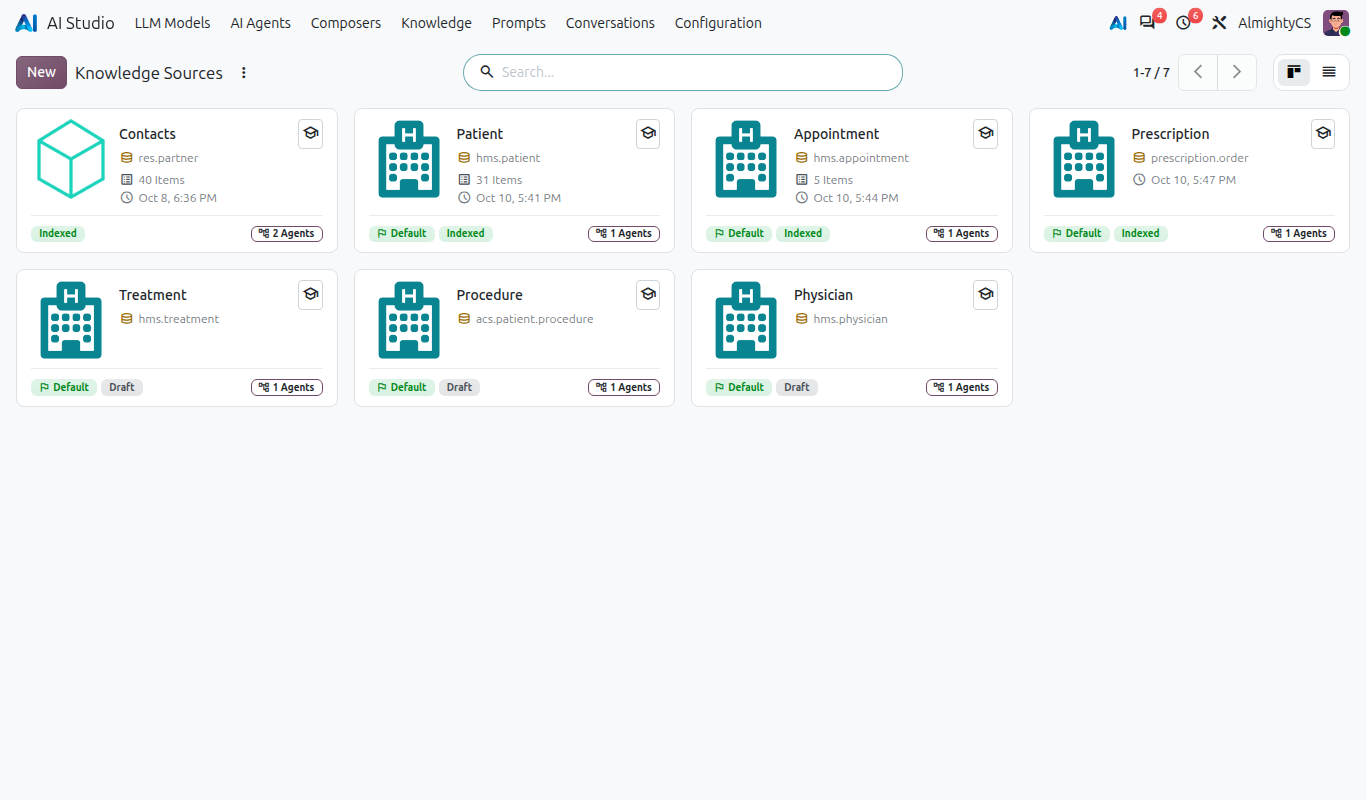
Index Odoo record fields or external URL content into searchable knowledge. The AI can semantically search across indexed data for accurate answers.
Discuss Integration
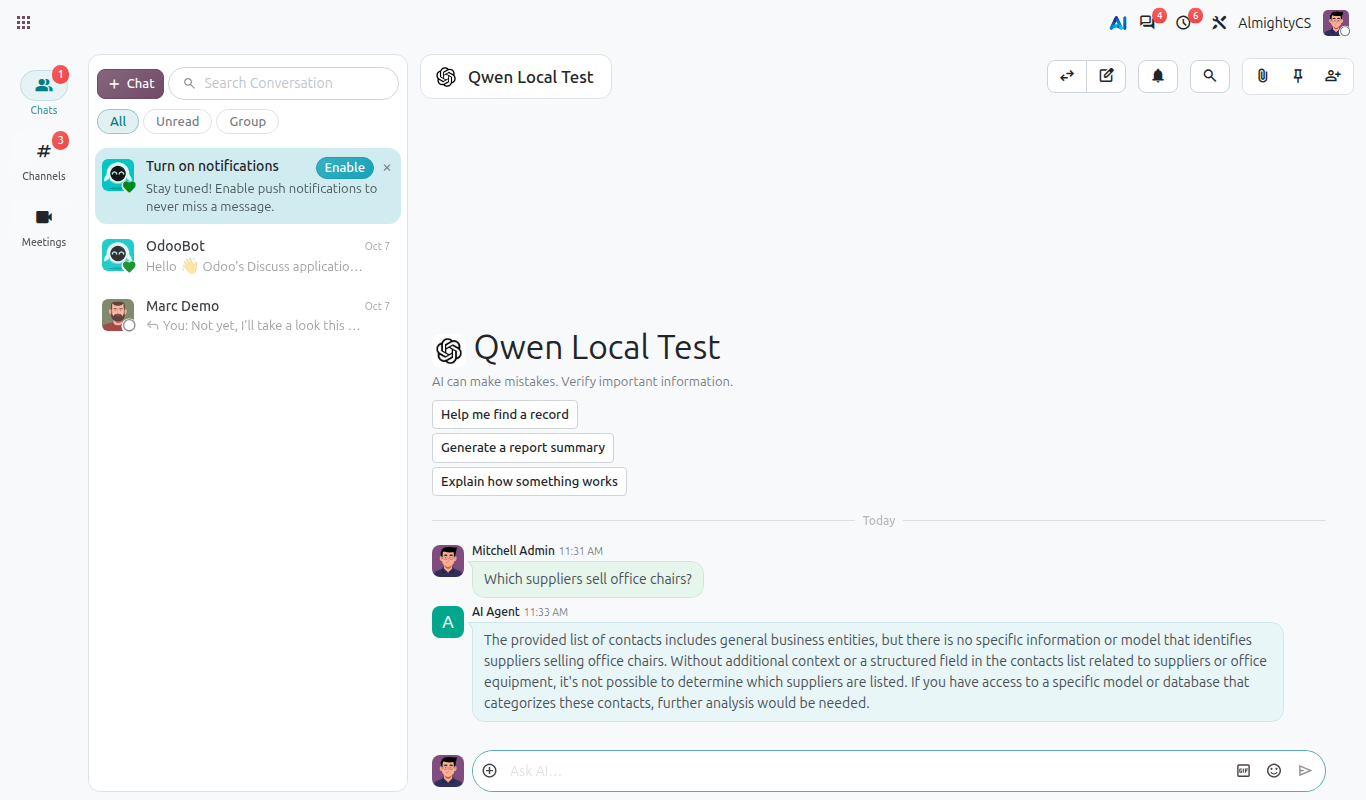
Chat with AI directly inside Odoo Discuss. Streaming responses, quick-prompt chips, and message actions (Insert, Send, Log Note, Copy).
Website Widget
Floating AI chat bubble for your website. Publish agents per website, configure greetings, and let visitors interact with AI without leaving the page.
Function Calling
The AI can search records, read fields, create/update/delete data, generate reports, and run model actions - all scoped to the user's exact permissions.
☁️ Supported AI Providers
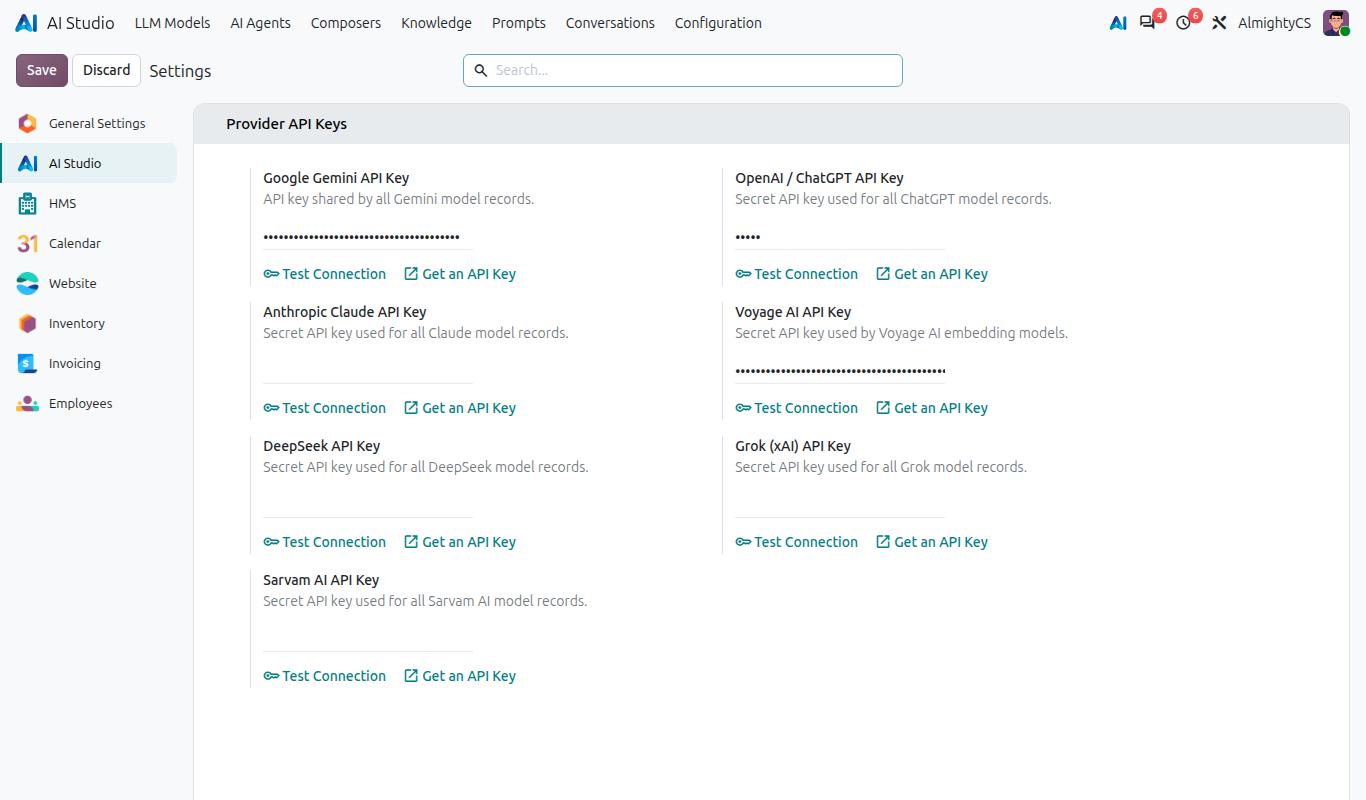
Connect leading AI providers to Odoo using your own API keys. Google Gemini is built in, while other providers are available through dedicated provider add-on modules.
Google Gemini
Google's generative AI models with support for advanced multimodal interactions, streaming, and function calling.
BUILT-INOpenAI ChatGPT
OpenAI models for conversational AI, structured responses, tool calling, vision, and advanced reasoning workflows.
ADD-ONAnthropic Claude
Claude models for long-context conversations, document analysis, reasoning, and enterprise AI workflows.
ADD-ONDeepSeek
DeepSeek AI models for general-purpose conversations, coding, reasoning, and cost-efficient AI workflows.
ADD-ONxAI Grok
Grok models from xAI for conversational AI, reasoning, tool use, and high-performance generative workflows.
ADD-ONSarvam AI
Indian AI models focused on multilingual and Indic-language experiences for enterprise and conversational applications.
ADD-ONProvider add-ons may have separate SDK and API requirements.
⚙️ How It Works
Four simple steps to get AI working in your Odoo.
Configure Models
Add your API keys and select model versions for your preferred AI provider.
Build Agents
Create AI agents with system prompts, source permissions, and user/company scoping.
Configure Composer
Define when and where the AI appears - form views, systray, or website.
Chat & Automate
Users interact via Discuss, systray, form buttons, or website widget - AI respects their permissions.
💡 Common Use Cases
Real-world scenarios where AI transforms your daily Odoo workflows.
Sales Order Q&A
Open an AI chat from any sales order. Ask about order status, customer history, or pending deliveries - the AI reads data in real time.
Clinical Note Drafting
AI drafts clinical summaries from patient records, lab results, and physician notes - reducing documentation time.
Knowledge Search
Index your product catalog, HR policies, or patient education material. Users ask natural-language questions and get answers from your data.
Report Generation
Ask the AI to generate PDF or XLSX reports from any record. The AI lists available reports, picks the right one, and returns a download link.
✅ Requirements
Minimum prerequisites to install and run the module.
Odoo Version
Odoo 20.0+ Community or Enterprise Edition.
Python Packages
Provider SDK packages
(installed on demand)
API Key
Valid API key for at least one supported AI provider.
Configuration & Customization
Get started quickly with preconfigured healthcare workflows and an intuitive user experience. The system can be easily adapted to match your organization's requirements, and our team is available to help with customizations, integrations, and advanced implementations.
AI Studio in action
Models, agents, knowledge sources, live chat and provider settings.
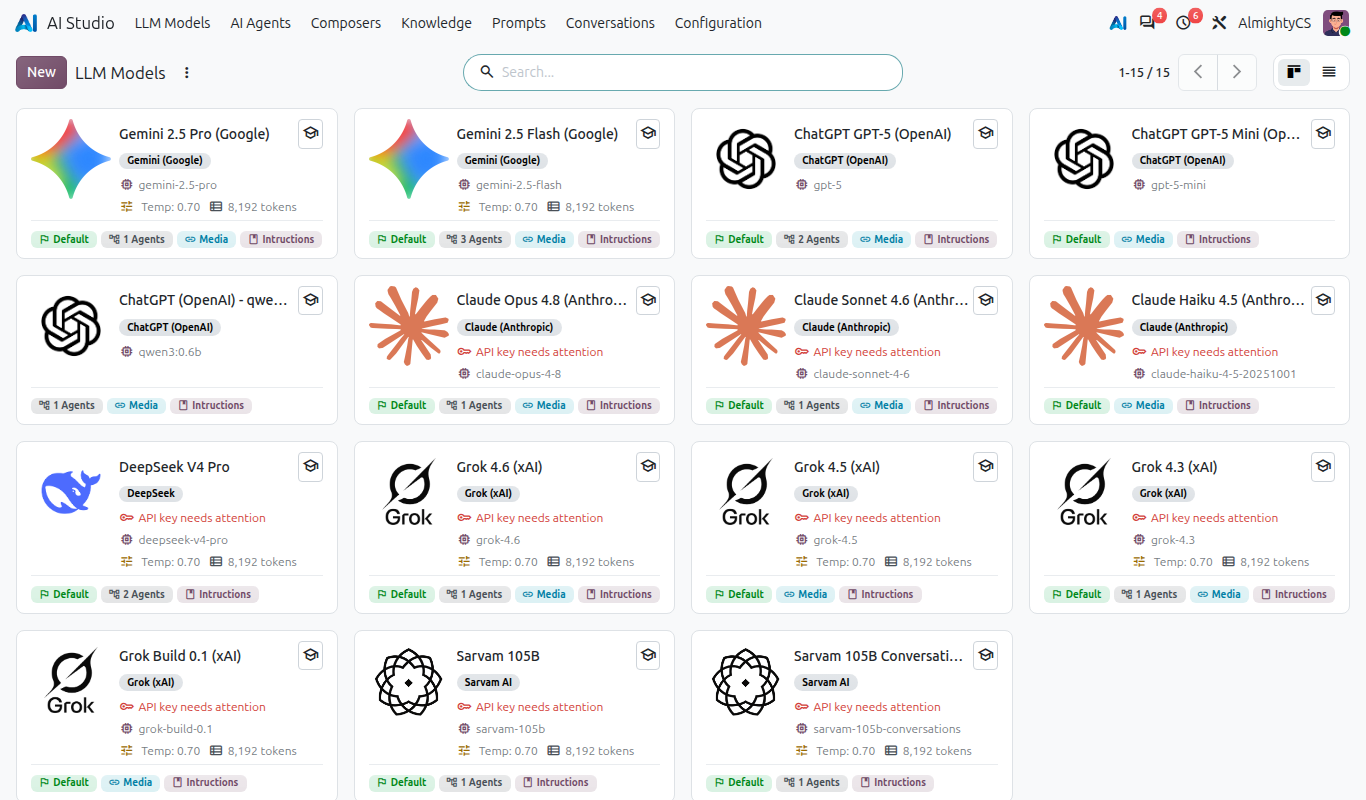
LLM Models with live availability and key health
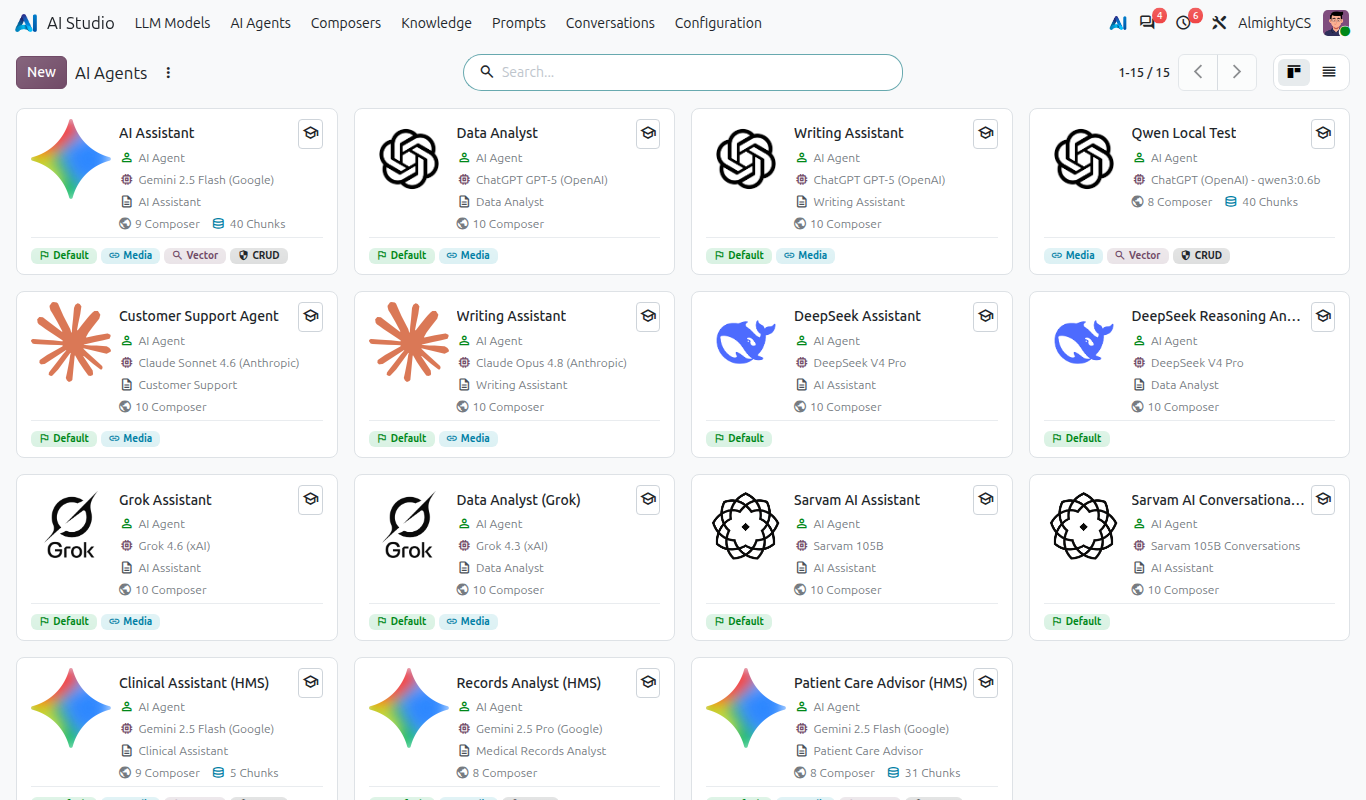
AI Agents for every role
Knowledge sources grounded in Odoo records
Chat with answers from your data
Provider keys with one-click connection test