

Customer Wallet ( Prepaid Credit on Invoices )
Detailed Module Description
Sell prepaid wallet packs to your customers through normal invoices and let them spend the balance on any later invoice. For example, the customer pays 5000 and gets 6000 in the wallet. Built on Odoo's standard Coupons & Loyalty eWallet, with proper accounting entries for every step.
- Sell wallet top-up packs on regular customer invoices, e.g. pay 5000 and get 6000 credit.
- Wallet credit either fixed on the product (Wallet Credit) or taken from the eWallet program rule, e.g. 1.1 point per currency = 10% extra on any amount.
- Choose when the wallet is credited: on invoice confirmation or on invoice payment.
- Top-up money is booked on a wallet liability account, not as income; the extra bonus credit is booked on an expense account through a separate journal entry.
- "Pay with Wallet" button on every customer invoice, for full or partial payment.
- Wallet balance shown on the customer form, with a complete wallet history linked to each invoice.
- Credit note on a top-up invoice takes the credit back (blocked if the customer already spent it).
- Resetting a wallet payment to draft gives the money back to the wallet and re-opens the invoice.
- Built-in checks prevent wrong configuration: only liability accounts for the wallet, expense accounts for the bonus, and a dedicated miscellaneous journal.
- Works on Odoo Community and Enterprise; ACS HMS users can add the Patient Wallet (acs_hms_wallet) integration.
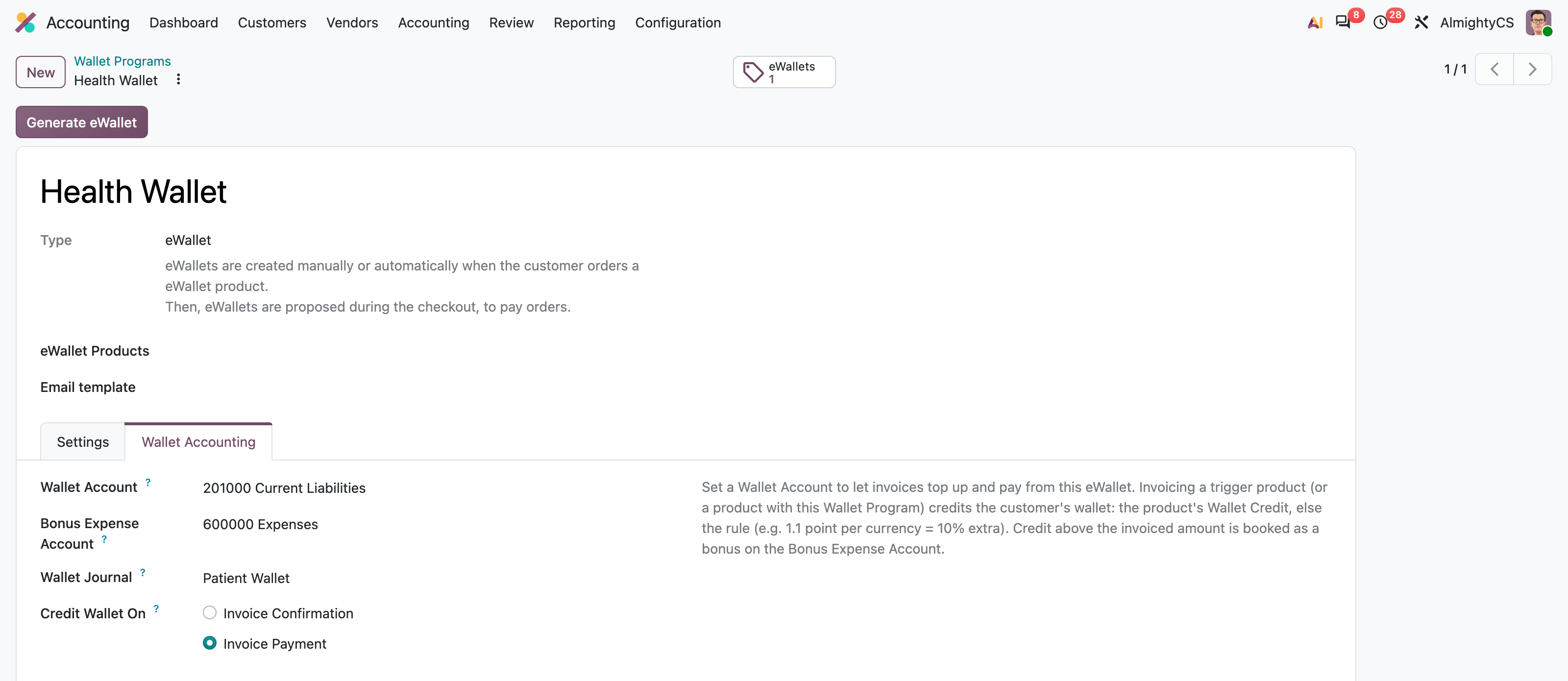
Wallet Program Configuration
Create an eWallet program and set the wallet liability account, bonus expense account, wallet journal and when the wallet gets credited.
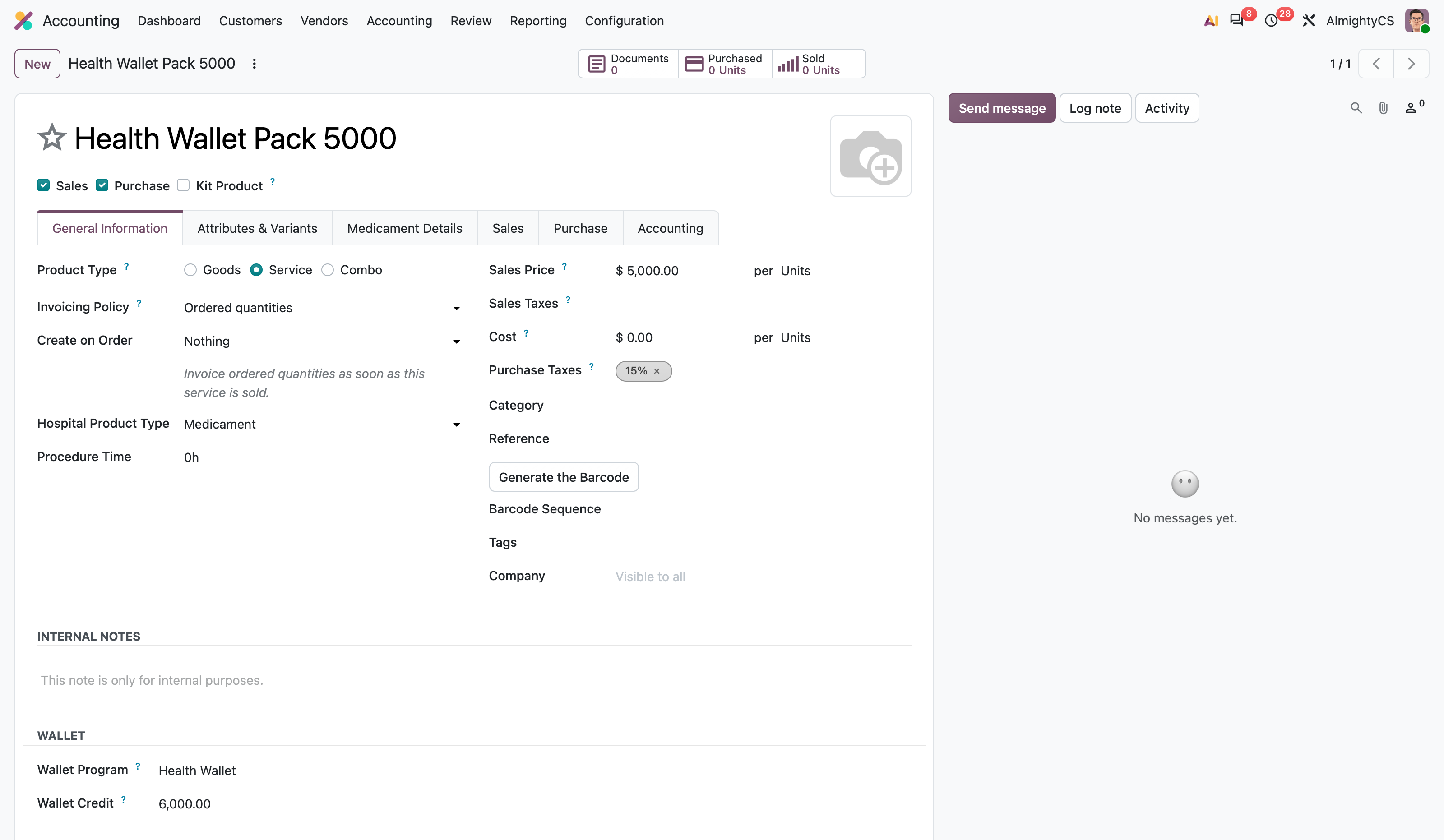
Wallet Top-up Product
Link a product to the wallet program and set the credit it gives. Here a 5000 pack credits 6000.
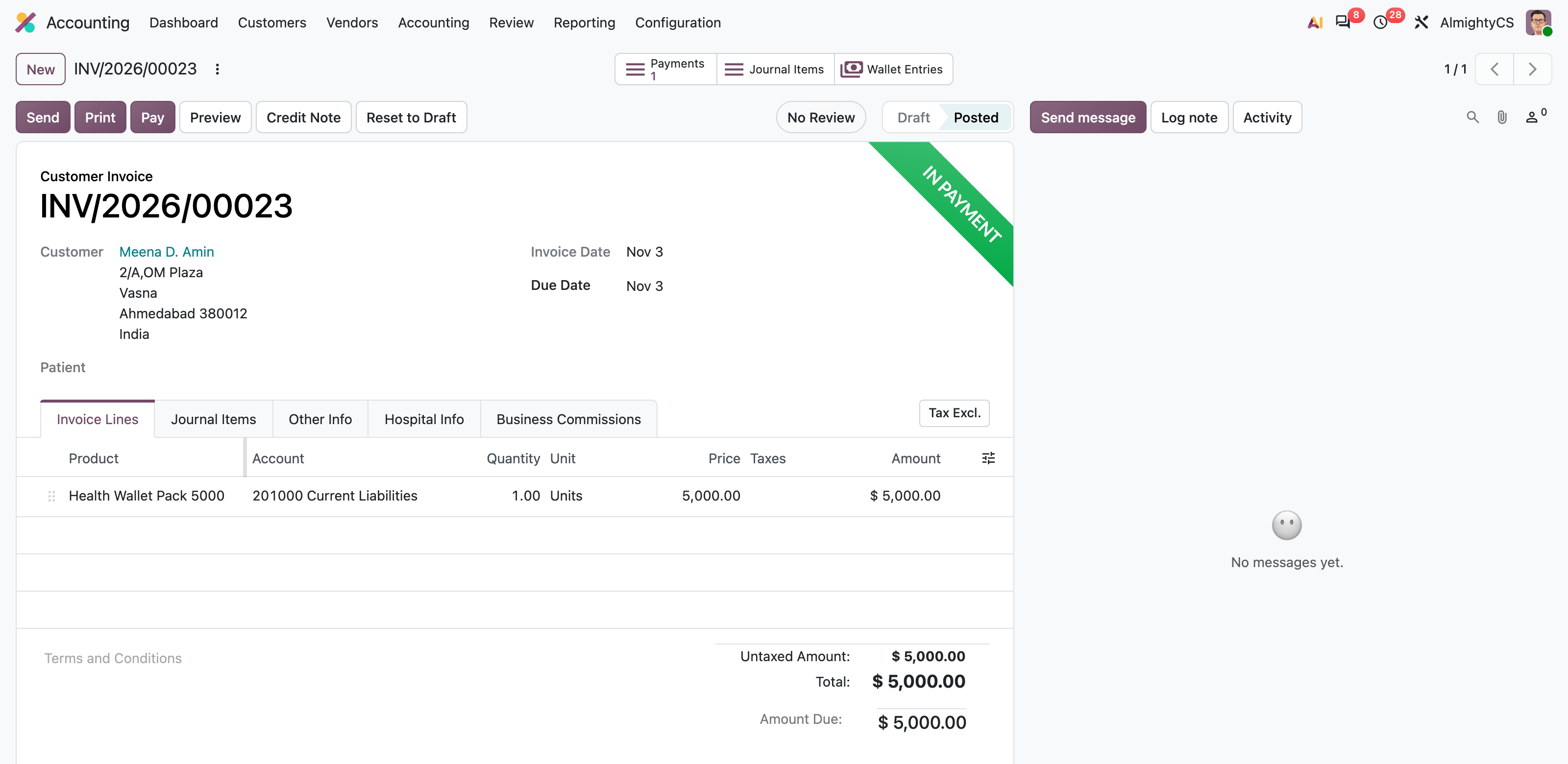
Top-up Invoice
Invoice the pack like any other product. The amount is booked on the wallet liability account.
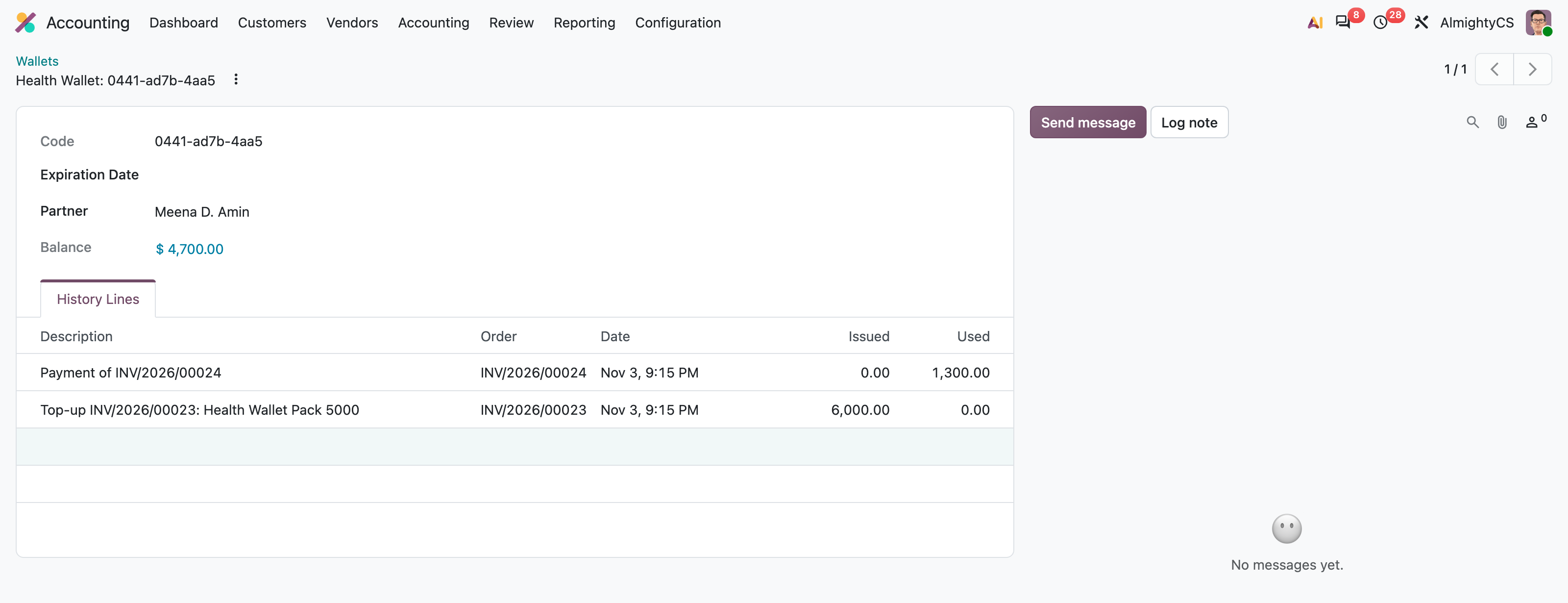
Customer Wallet and History
Once the invoice is paid the wallet is credited. Every top-up and every payment is listed with its invoice.
Wallets Menu
All wallets are available under Invoicing / Accounting > Customers > Wallets.
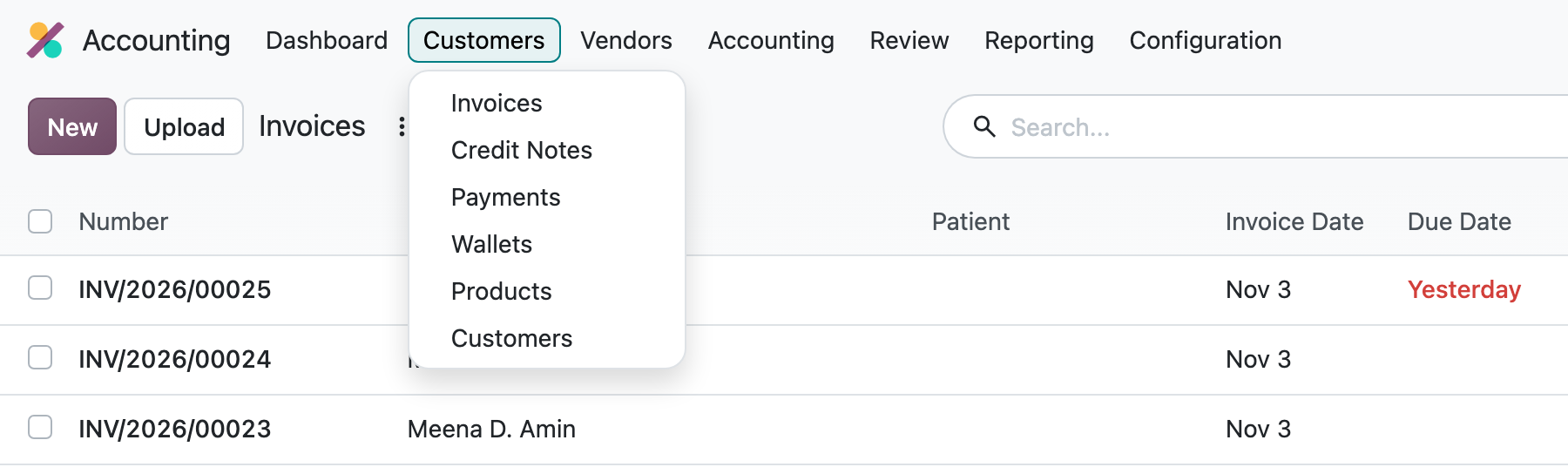
All Customer Wallets
See every customer wallet with its current balance.

Pay with Wallet Button
Any confirmed customer invoice of a customer with wallet balance gets a "Pay with Wallet" button.
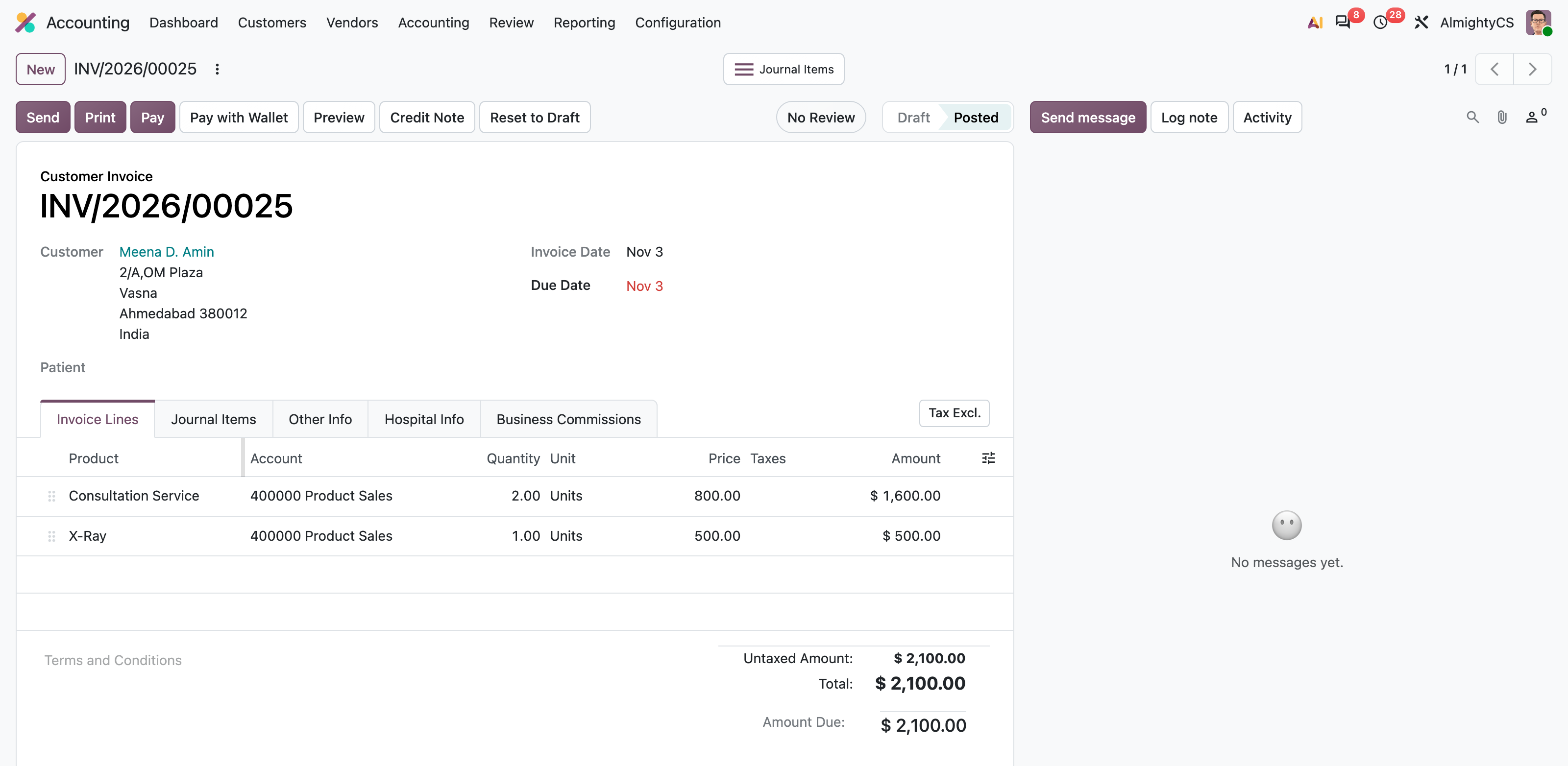
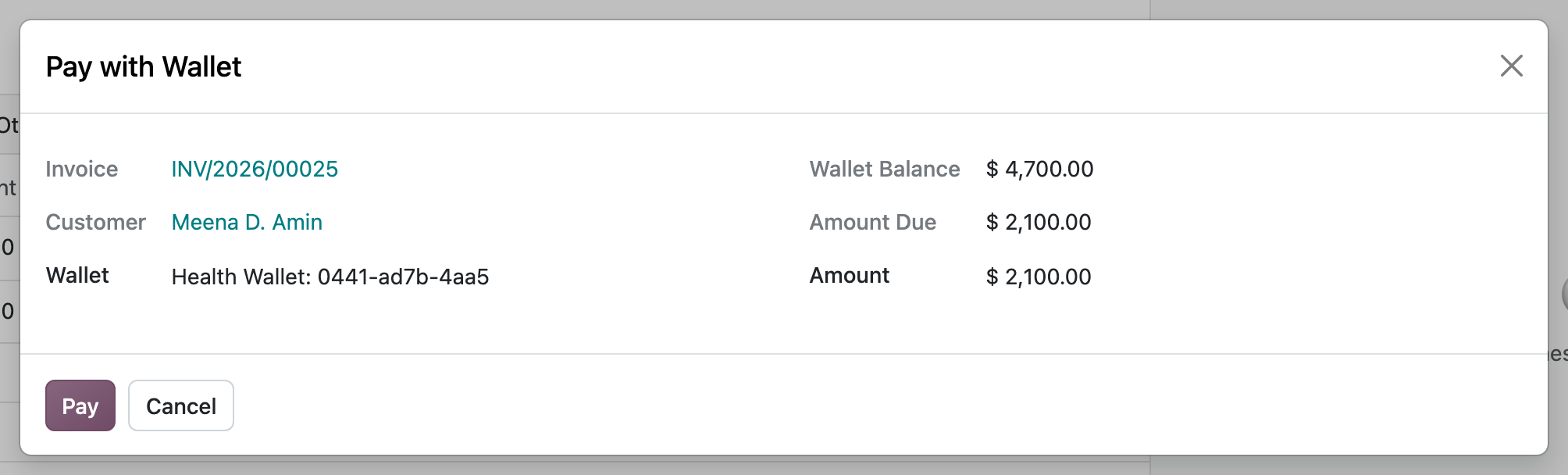
Pay with Wallet
The amount is proposed automatically (the lower of the wallet balance and the amount due) and can be changed for a partial payment.
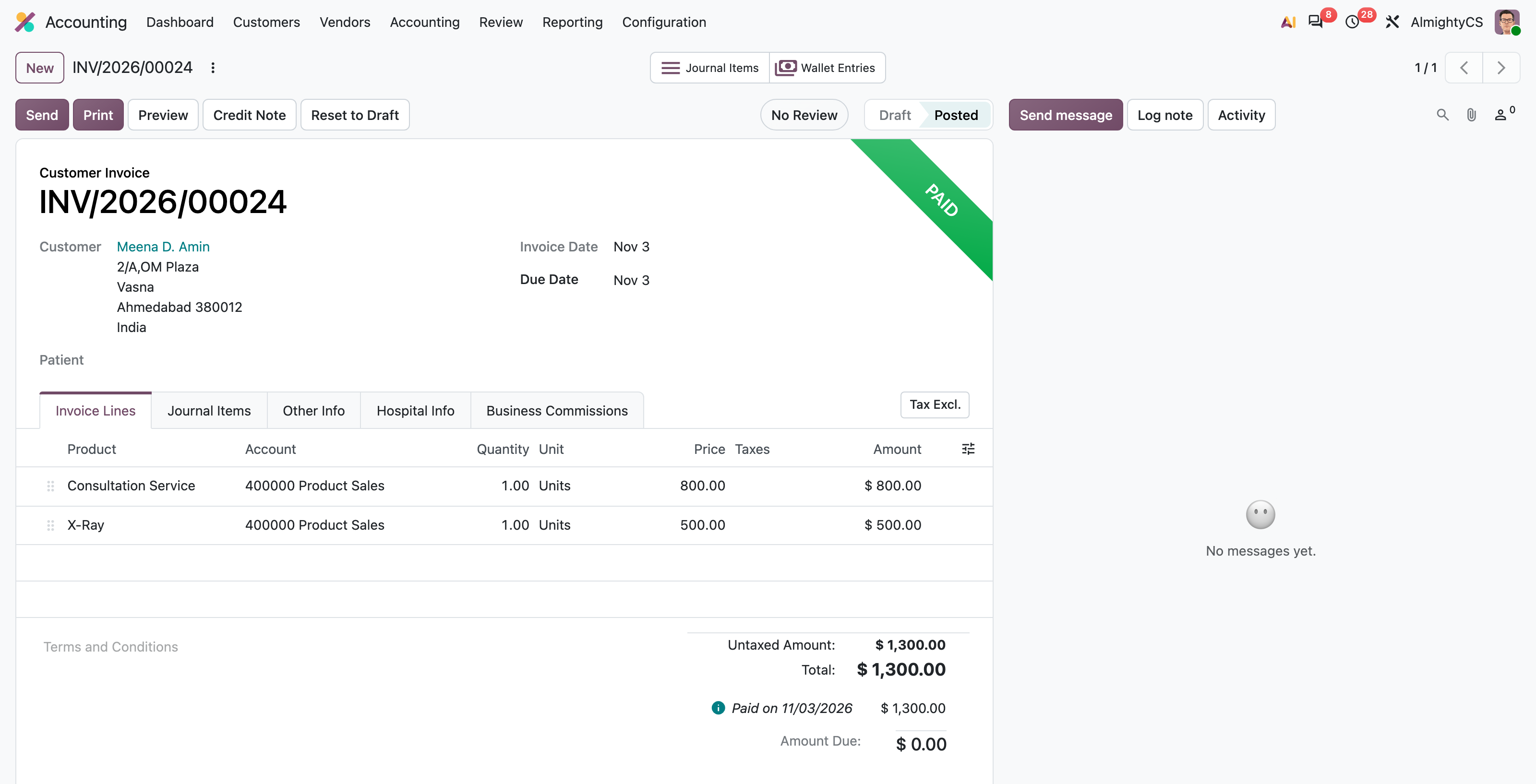
Invoice Paid from Wallet
The invoice is marked as paid. The "Wallet Entries" button opens the related wallet journal entry.
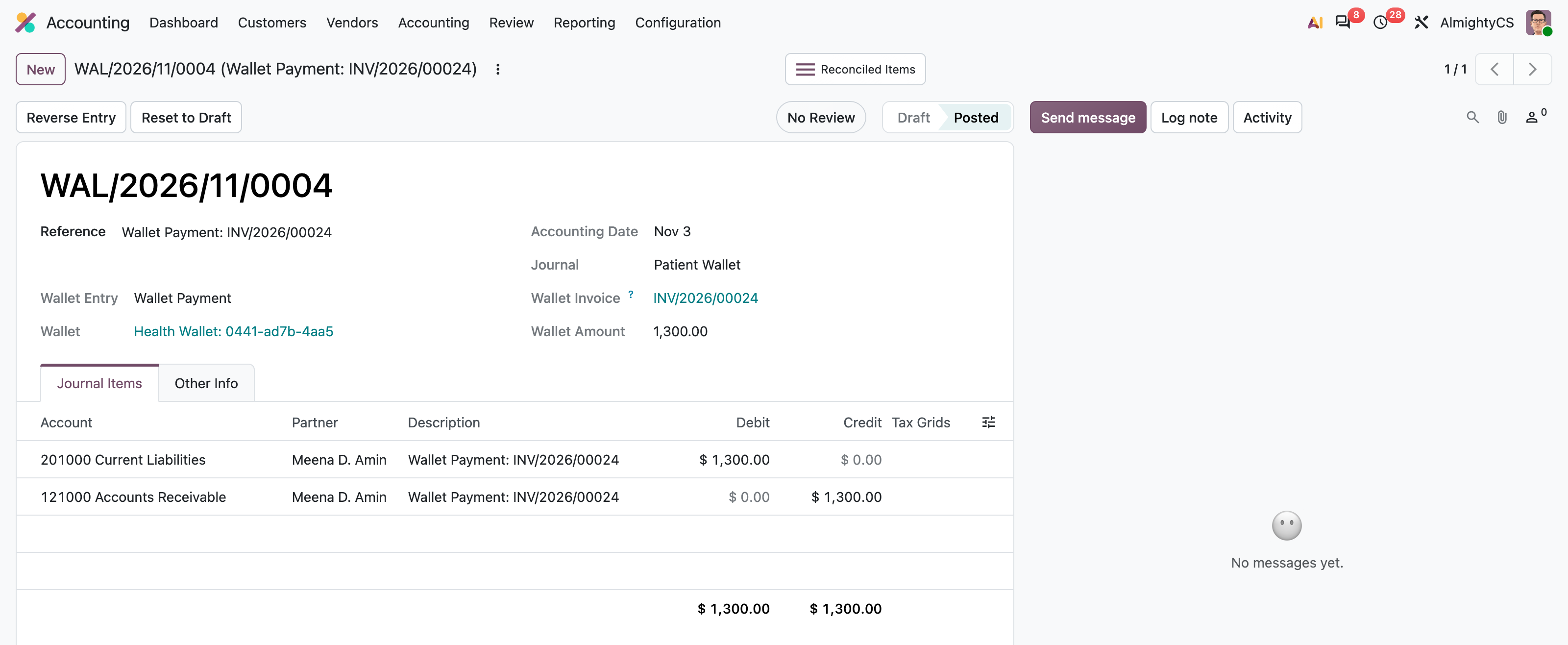
Wallet Payment Entry
Each wallet payment is a journal entry in the wallet journal, linked to the wallet and to the paid invoice.
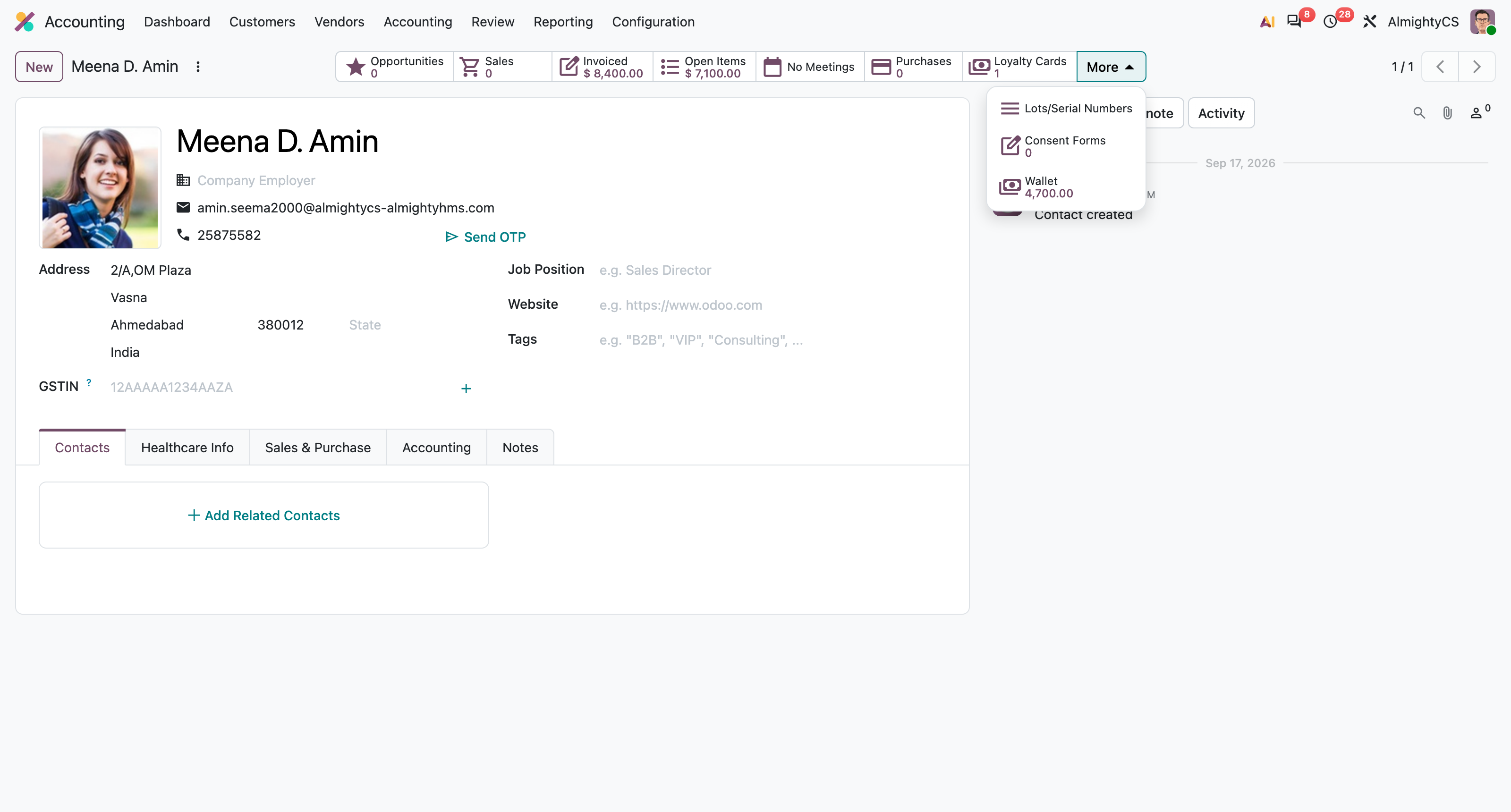
Wallet Balance on Customer
The customer form shows the current wallet balance; click it to open the wallet.
Configuration & Customization
Install the module, create a wallet program with its accounts and journal, link a top-up product, and start selling wallet packs. No technical knowledge is needed. Our team is available for customization such as wallet expiry, family/shared wallets or portal wallet views.