

Mass Product Selection on Sale, Purchase, Invoice, Stock
In default odoo there is no option to add multiple products in orders easily. In many cases to make process faster we need to add multiple selected products to record, So using this module you can do that.
Added option to define default qty for all selected products.
How It Works
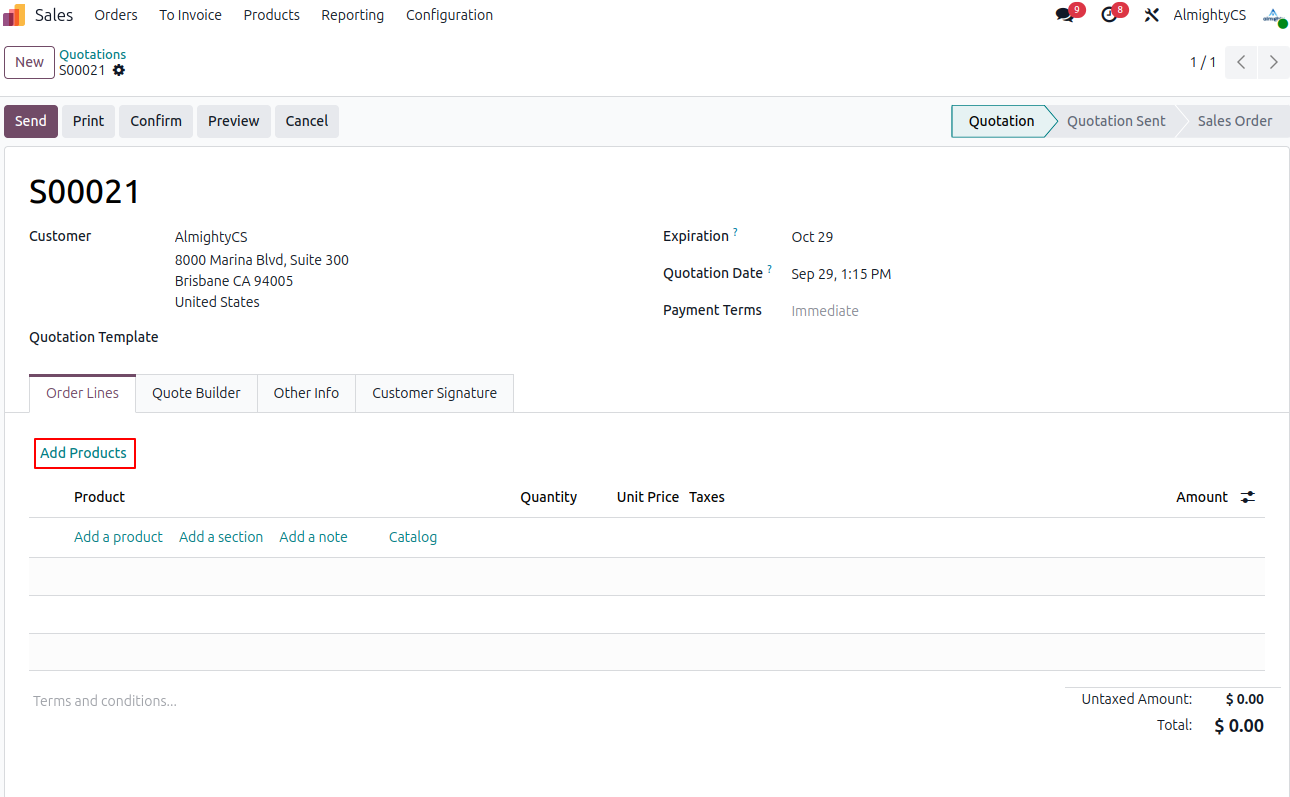
Button on Sale order to add multiple selected products on order lines.
Button on Purchase order to add multiple selected products on order lines.
Button on Invoice order to add multiple selected products on Invoice lines.
Button on Stock Picking to add multiple selected products on order lines.
Button on Stock Inventory to add multiple selected products to inventory adjustment lines.
Click on Add Products button to select multiple products
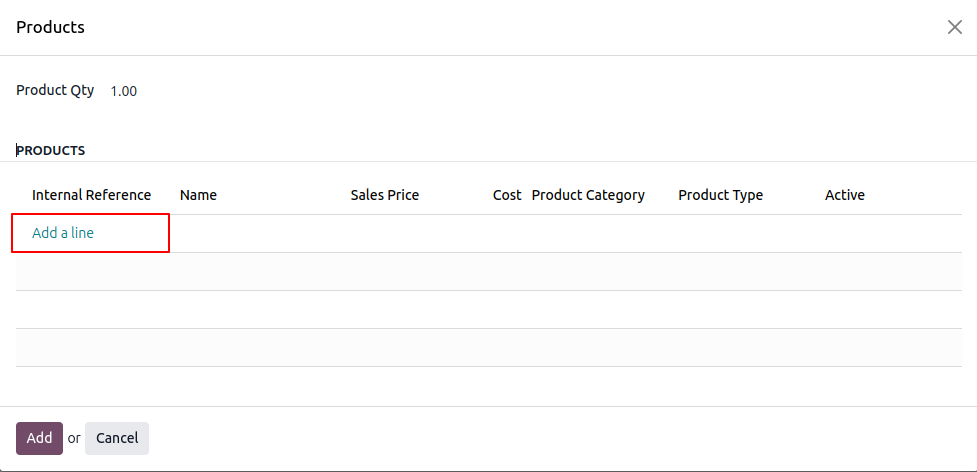
Click on add a line button to select products
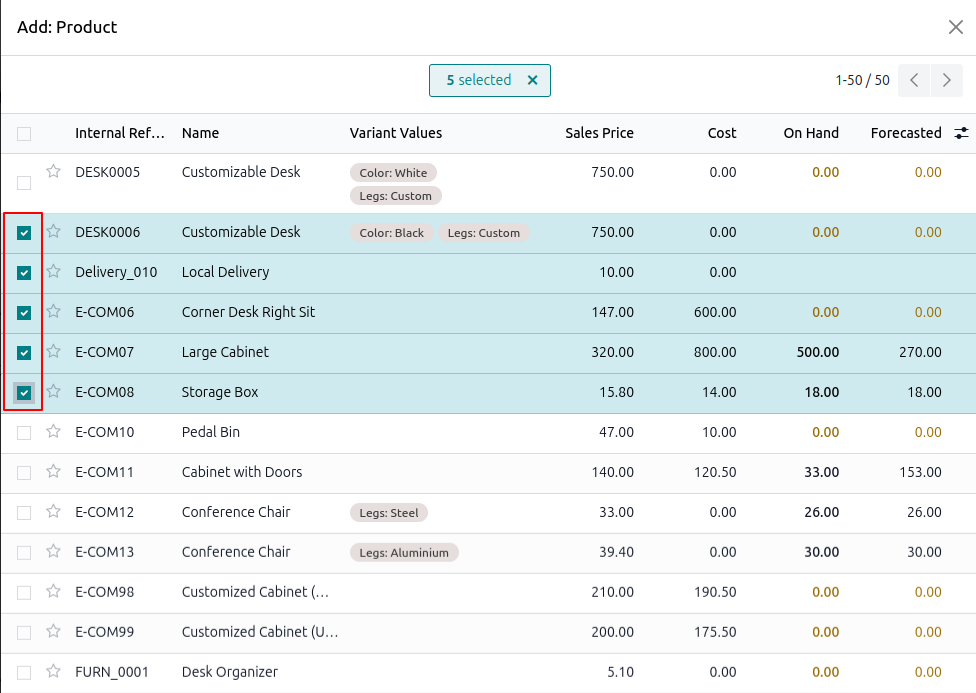
Select products which you want to add and click on the select button
Configuration & Customization
Designed for Odoo ease-of-use, this module requires zero technical knowledge to deploy. Simply install and manage and add multiple selected products to record so process is faster. Our dedicated technical team is available for advanced customization to match your hospital's specific protocols.