

Merge Multiple Invoices
This Module allows users to combine multiple customer invoices into a single invoice. Users can merge records into an existing invoice or create a new one while preserving invoice lines, notes, and sections.
Detailed Module Description
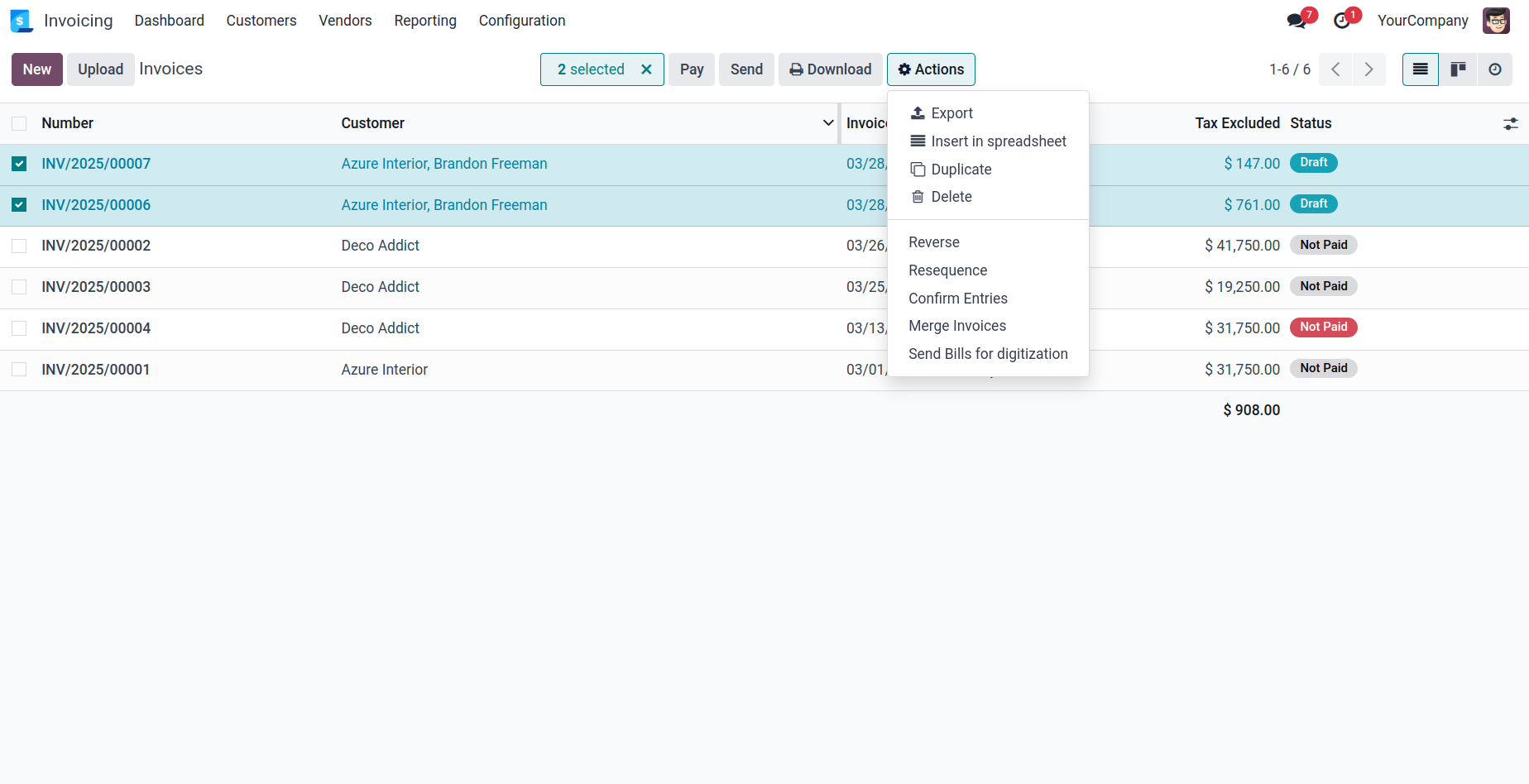
Select multiple records from the list view.
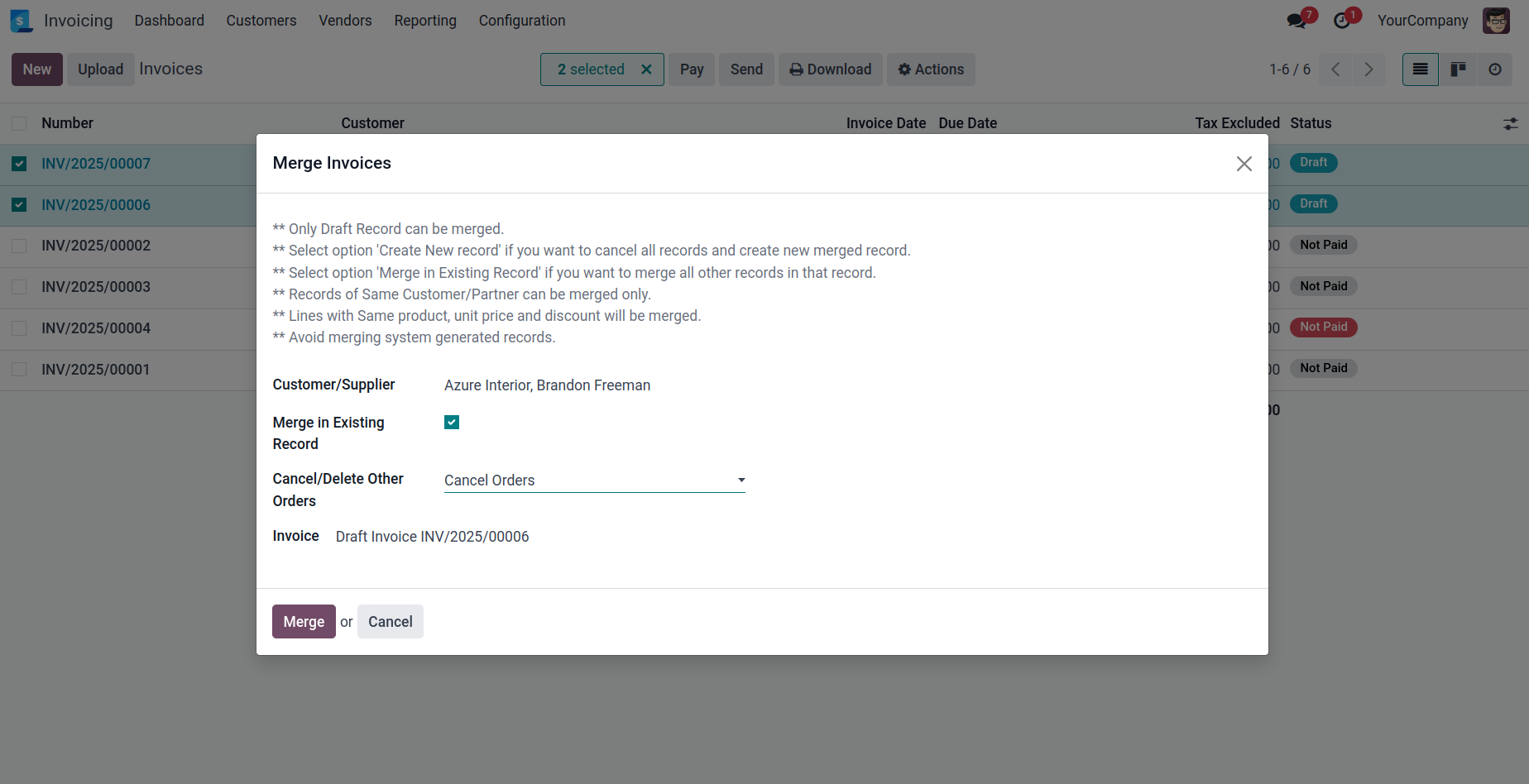
Ensure that the selected records belong to the same customer or supplier. (If records with different partners are selected, a warning will be displayed.)
To merge records into an existing record, select the "Merge into Existing Record" option.
To create a new record from all selected records, choose the "Create New Record" option.
You can either delete the remaining records or cancel them based on your preference by selecting the appropriate option.
Finally, click the Merge button.
This will create or update the record and open it so you can work on it directly.
Note: Notes and sections from secondary records will be added at the end.
Select records from the list view and click on the "Merge Invoices" option.
Merge Wizard: Select Appropriate option to merge records and what to do with those record.
Configuration & Customization
Designed for Odoo ease-of-use, this module requires zero technical knowledge to deploy. Simply install and allow users to merge multiple invoices. Our dedicated technical team is available for advanced customization to match your hospital's specific protocols.