

Hotel Website Booking
Commission-free online booking for your hotel website.
Guests search available rooms by date, book one or more rooms, add services and pay a deposit online through Odoo payment providers. Rooms are held while they pay, and every booking lands confirmed in your Hotel Management backend.
Turn website visitors into confirmed guests
A modern, theme-aware booking flow on your Odoo website - connected live to rooms, rates, meal plans and services from ACS Hotel Management.
Room Search
Search by property, dates, rooms and guests. Only room types with free rooms for the whole stay are shown, with live prices.
Rich Room Cards
Gallery with quick view, view, size, bed types, amenities, "only X left" badges and grid / list layouts.
Multi-room Booking
Book several rooms at once and set adults and children per room, with clear maximum-guest messages.
Add-on Services
Offer airport pickup, spa, dinner and more as optional extras with live totals.
Online Deposit
Pay a deposit (or the full amount) through any Odoo payment provider; the booking confirms automatically after payment.
Guest & Staff Portal
Guests track bookings, PDFs and invoices; housekeeping staff start and finish their tasks from the portal.
Everything for direct bookings
See it in action
The guest journey from search to confirmation.
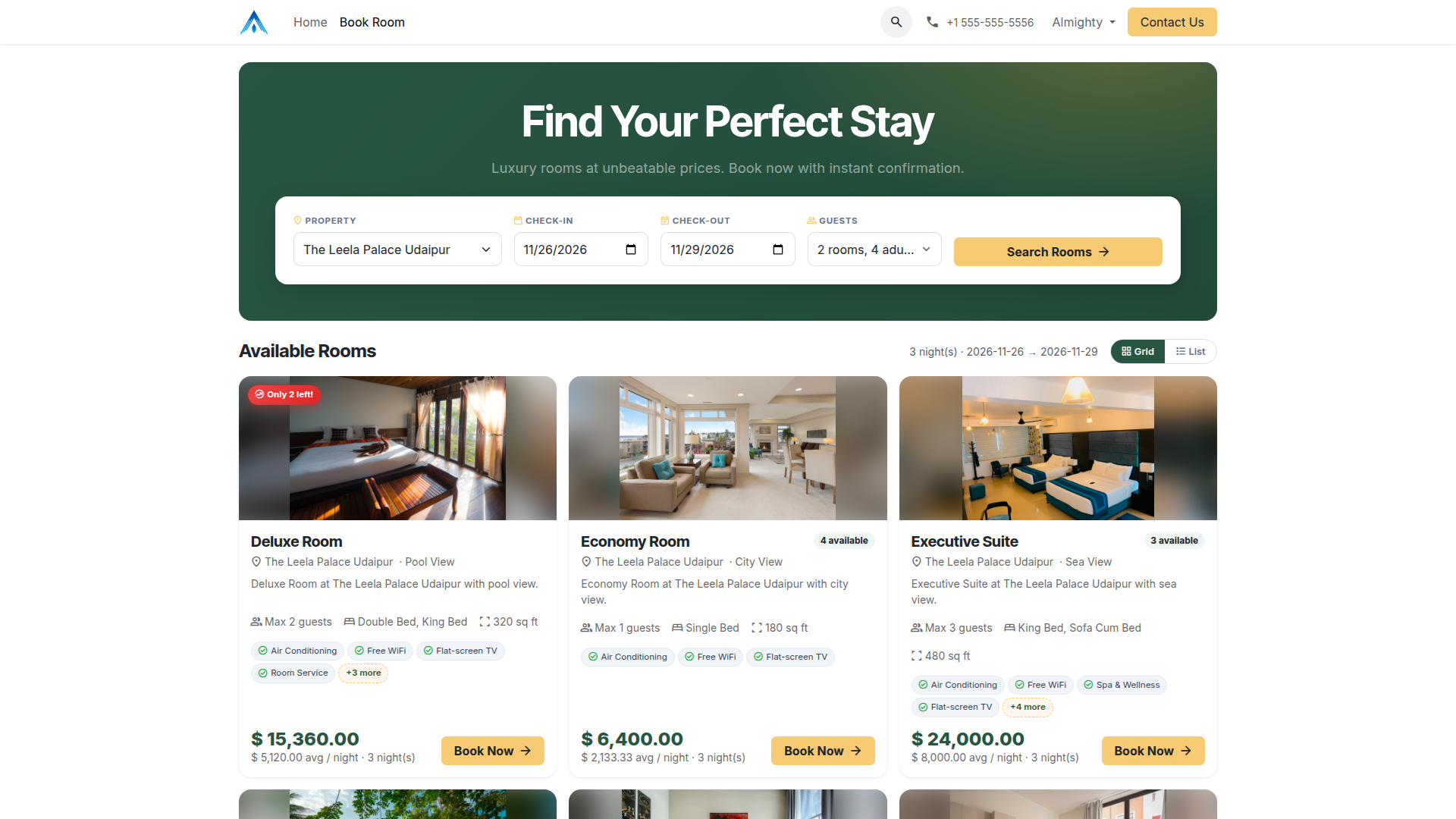
Search & Available Rooms
Guests pick property, dates and guests and see available room types with prices, amenities and availability.
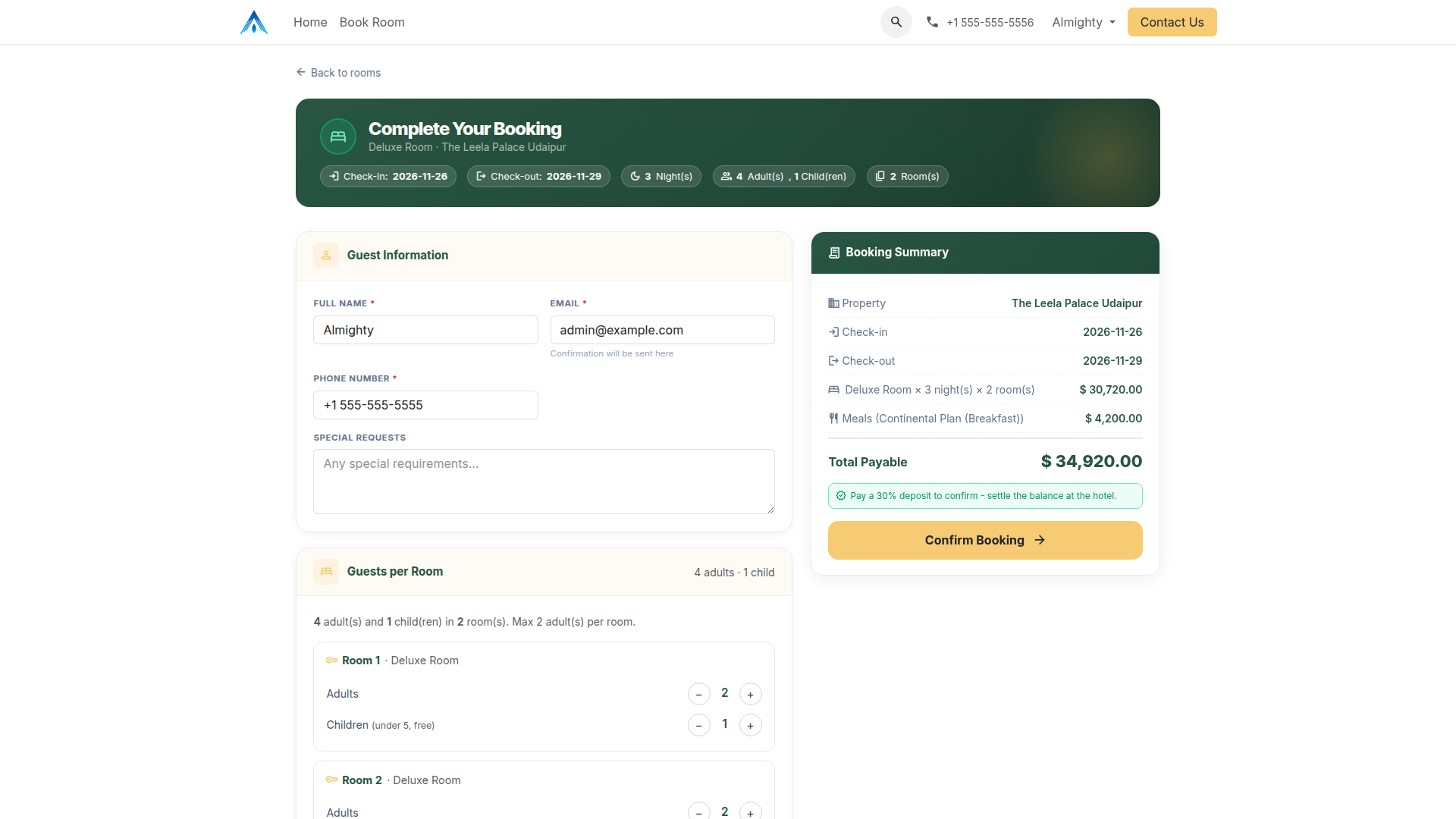
Booking Form
Guest details, guests per room, add-on services and a live booking summary with the deposit to pay.
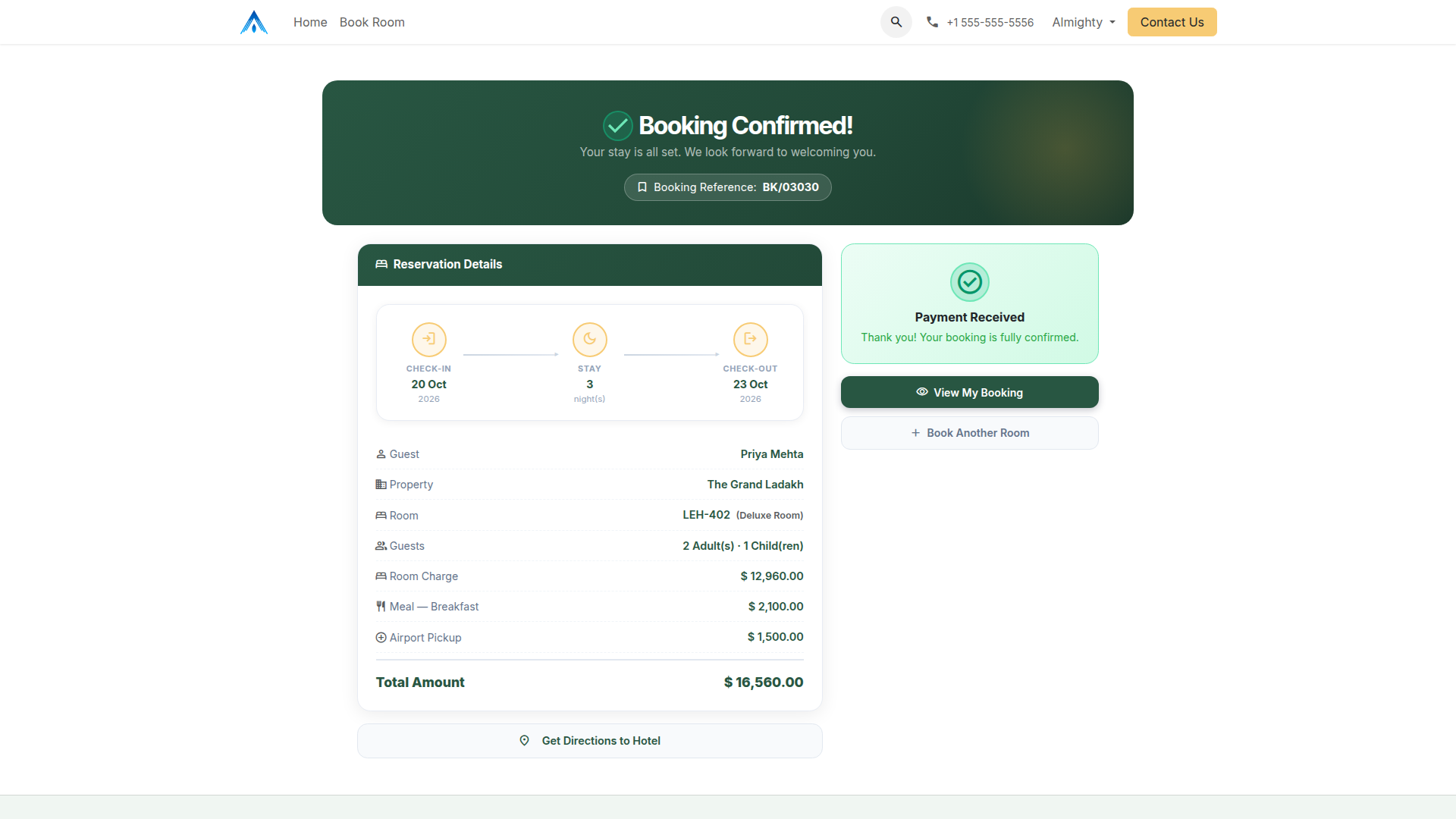
Booking Confirmed
After the online deposit is paid, the booking is confirmed instantly with a clear reservation summary.
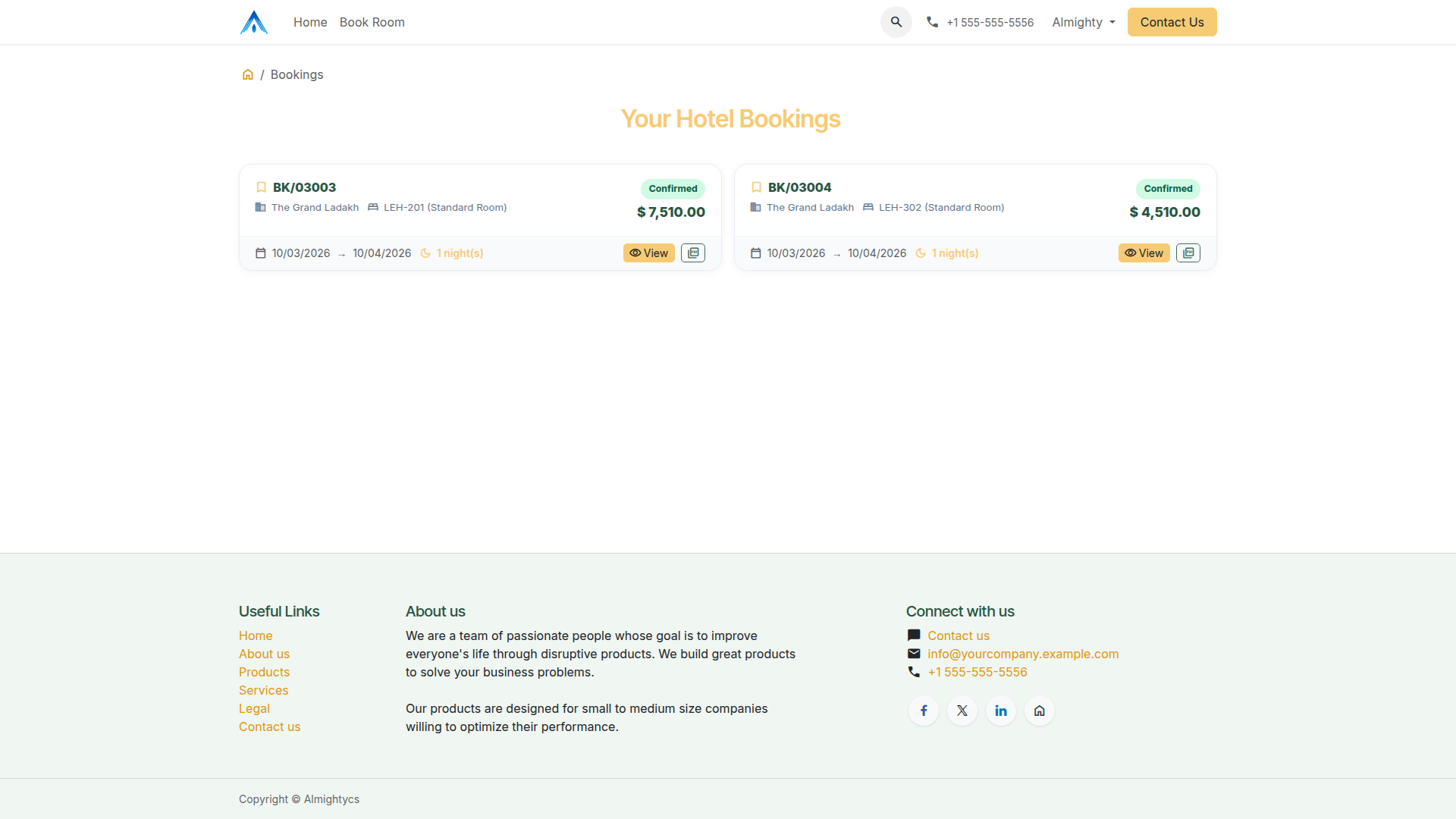
Guest Portal
Guests see all their hotel bookings, open the details and download the booking PDF.
Explore our other applications
Complete your hotel and business workflow with more apps from Almighty Consulting Solutions.
Configuration & Customization
Install with ACS Hotel Management, publish your properties and room types, choose a payment provider and set the deposit % and payment hold in Settings → Hotel. Need a custom design or booking flow? Our technical team is happy to help.