

HMS QR Check-in
Turn OPD arrival into a self-service scan instead of a line at the reception desk.
Detailed Module Description
All Basic Hospital Management functionality from Base Module Check it Here.
Every confirmed appointment gets its own unique QR code, printed on the appointment PDF.
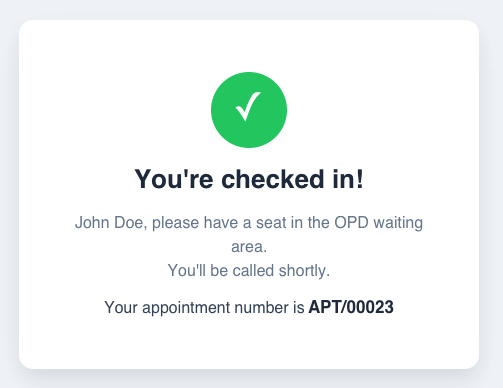
Scanning the QR checks the patient straight into the reception queue and next-patient screen - no receptionist has to search their name and click "Waiting".
One generic, printable "Scan to Check In" QR poster for the OPD entrance or reception desk - works for every patient, no per-appointment reprinting.
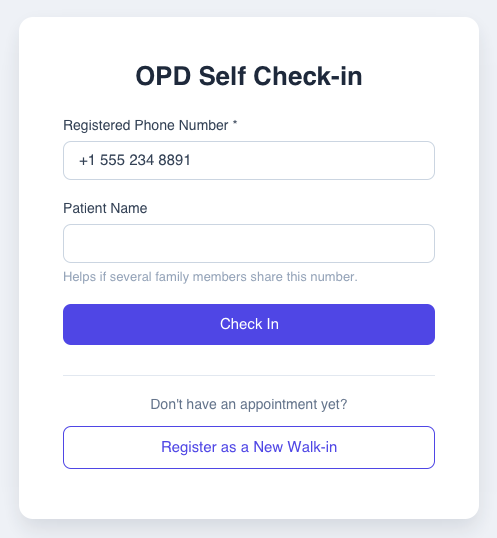
Scanning the poster asks for the patient's registered phone number and checks them into their confirmed appointment for the day.
Patients with no appointment yet can self-register through the same flow: a short 3-step form.
A patient who already has a non-cancelled appointment today is checked into that one instead of getting a duplicate appointment.
Every appointment tracks whether it was checked in at the front desk or via QR, visible on the Reception Queue list as a simple self-service adoption audit trail.
See It In Action
OPD Self Check-in
Instant Confirmation
Configuration & Customization
Designed for Odoo ease-of-use, this module requires zero technical knowledge to deploy. Simply install and print the check-in poster to start streamlining OPD arrivals. Our dedicated technical team is available for advanced customization to match your hospital's specific protocols.