
Hospital Ambulance Management
A complete ambulance operations module for hospitals — manage your fleet, dispatch trips, track odometer readings, and generate invoices, all from within Odoo.
What This Module Does
Fleet Management
Register and manage all ambulance vehicles through Odoo's Fleet integration. Each vehicle tracks its own driver, service product, and odometer history.
Trip Dispatch & Tracking
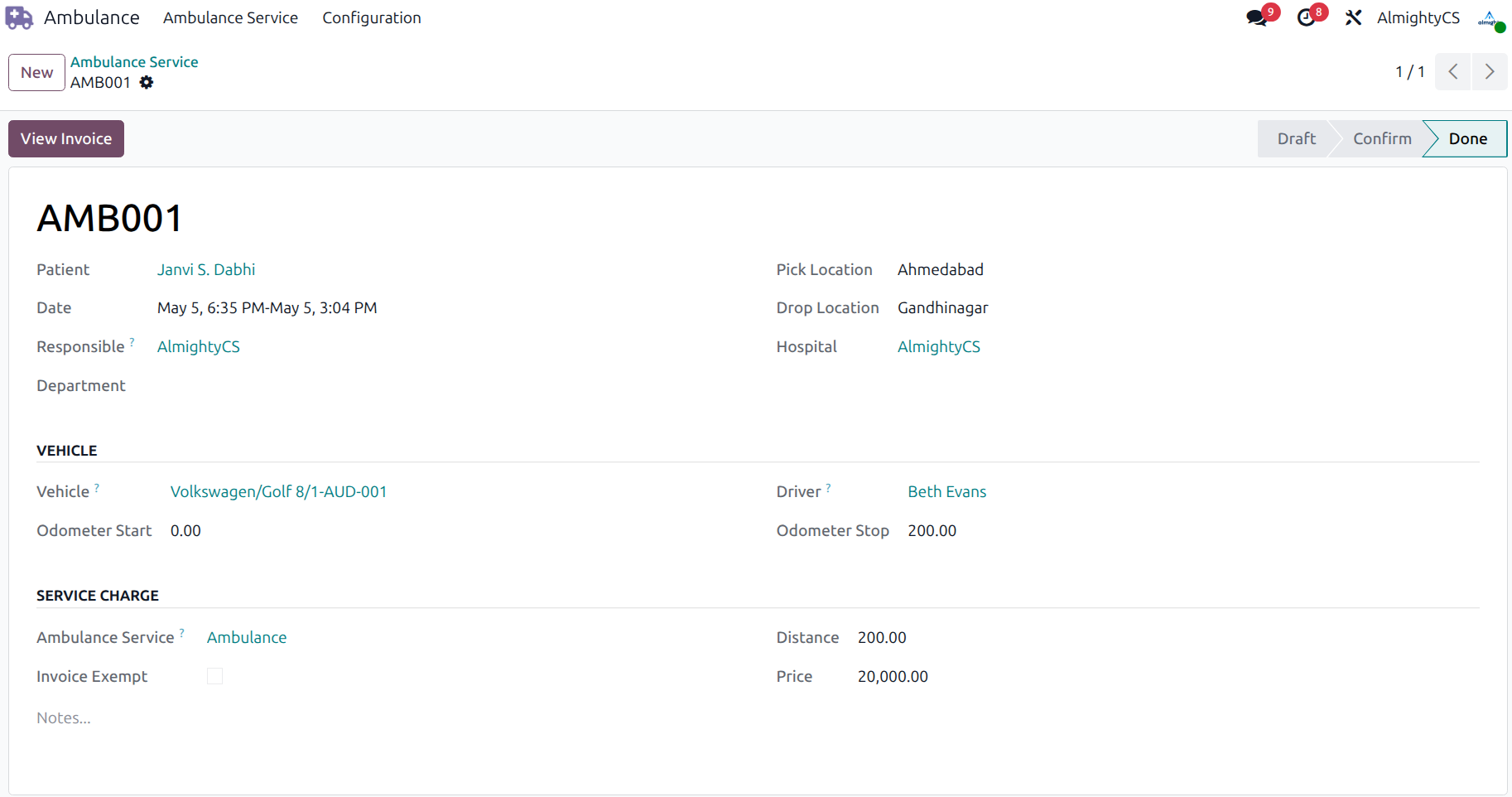
Create ambulance trips with pickup/drop locations, date/time range, assigned driver, and responsible staff. Supports Emergency, Scheduled, Inter-Hospital Transfer, and Outpatient service types.
Vehicle Conflict Detection
The system automatically flags scheduling conflicts — if a vehicle is already assigned to another active trip in the same time window, dispatchers are warned before confirmation.
Odometer & Distance Tracking
Record odometer start and stop values per trip. Distance is calculated automatically, and the fleet odometer is updated when the trip is marked done.
Flexible Invoicing
Generate invoices directly from ambulance trips. Add extra charges (surcharges, tolls, equipment fees) per trip. Invoicing can be enabled or disabled per company in settings. Individual trips can also be marked as invoice-exempt.
Patient & Department Linking
Link each trip to a patient record from the HMS. Patient contact details appear directly on the trip form. Trips can also be assigned to a hospital department for internal reporting.
Ambulance Service Report
Print a formatted service report for each trip, summarizing patient, vehicle, route, charges, and trip duration — ready to share with patients or insurers.
Configurable & Extensible
Invoicing settings are controlled per company. The module is built as a generic extension of the ACS HMS core, making it easy to extend further in custom modules when needed.
Chatter & Activity Tracking
Every trip record includes Odoo's built-in chatter, activity reminders, and status change tracking — keeping your team informed without any extra setup.
Supported Service Types
Screenshots
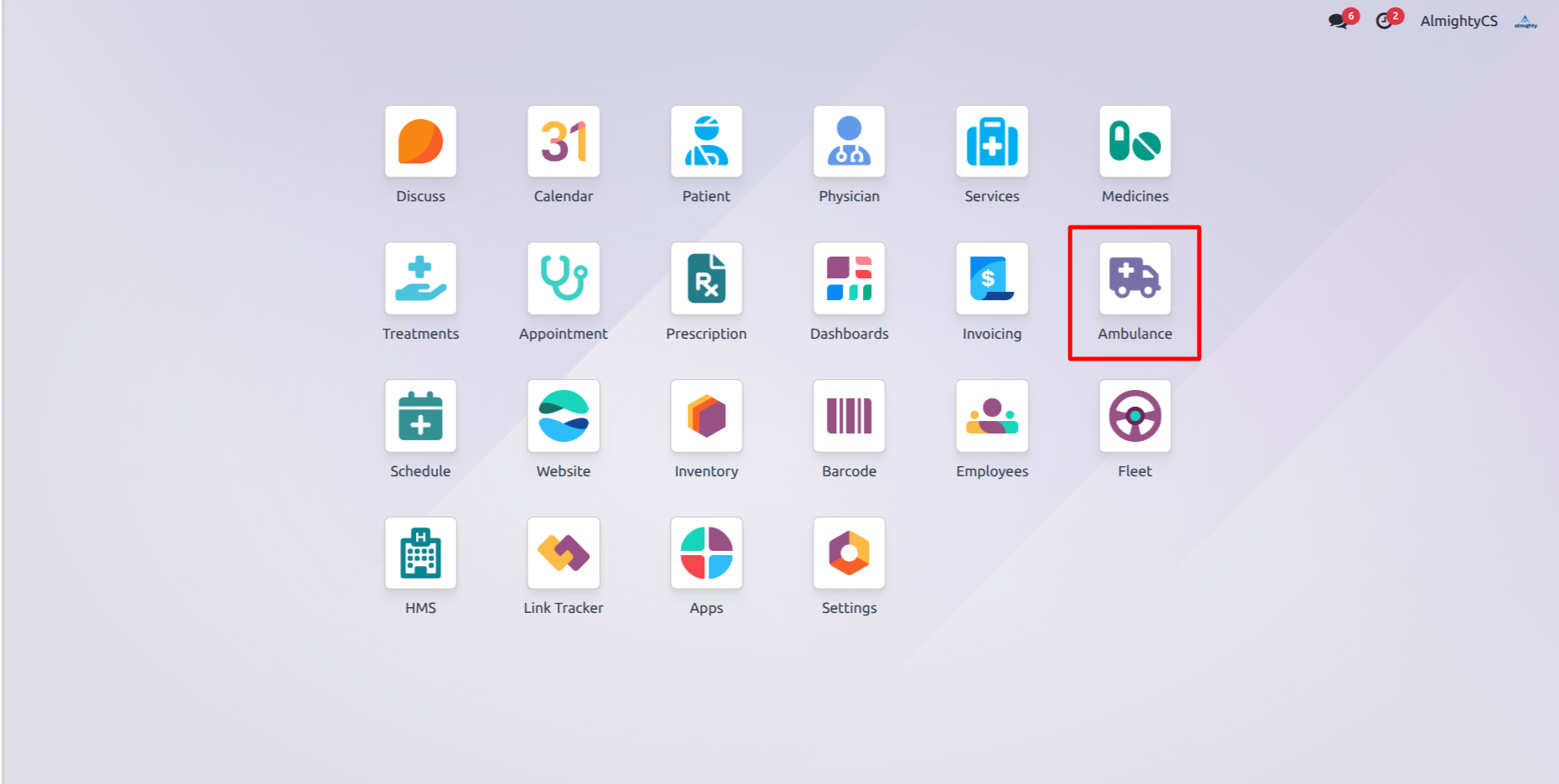
Ambulance Menu View
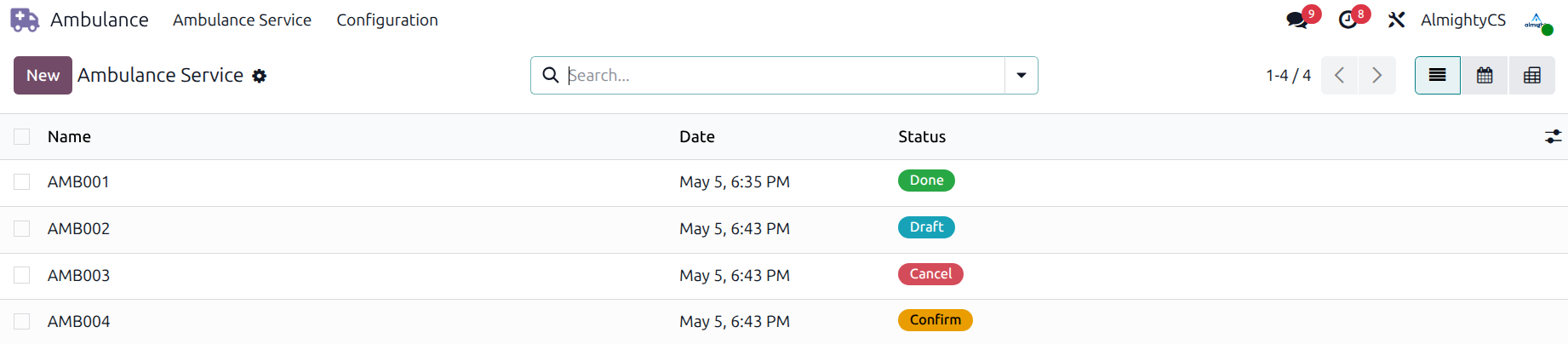
Ambulance List View
Ambulance Trip Form View
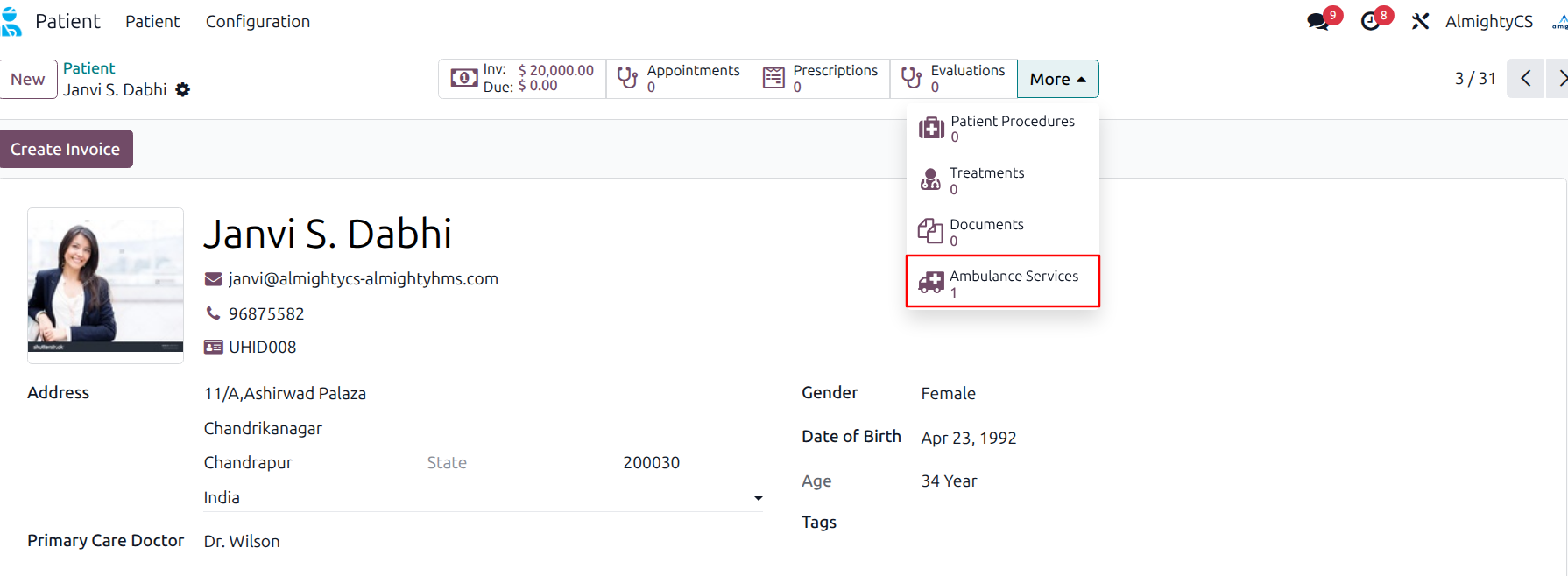
Ambulance Details on Patient Record
Zero-Setup Installation
Install the module and start dispatching trips immediately — no technical knowledge required. Enable or disable ambulance invoicing from Settings → Hospital Configuration and optionally set a default invoicing product per company. Our team is available for advanced customizations to fit your hospital's specific workflows.

How can we help you?
Support, Queries & Customization
Reach out for any questions, feature requests, or custom development needs.
If links are restricted in your browser, highlight and copy the addresses above to connect with our team.
Visit our official website for more details
WWW.ALMIGHTYCS.COM