
Discount Limitation

Set discount limits per user and company to control discount allocations.
Ensure discounts remain within predefined limits on individual invoices.
Configure maximum allowable discounts on a per-product basis.
Restrict discount percentages based on user roles and company policies.
Apply Discount Limitation on invoices.
Note: The discount limit is checked in the following order:
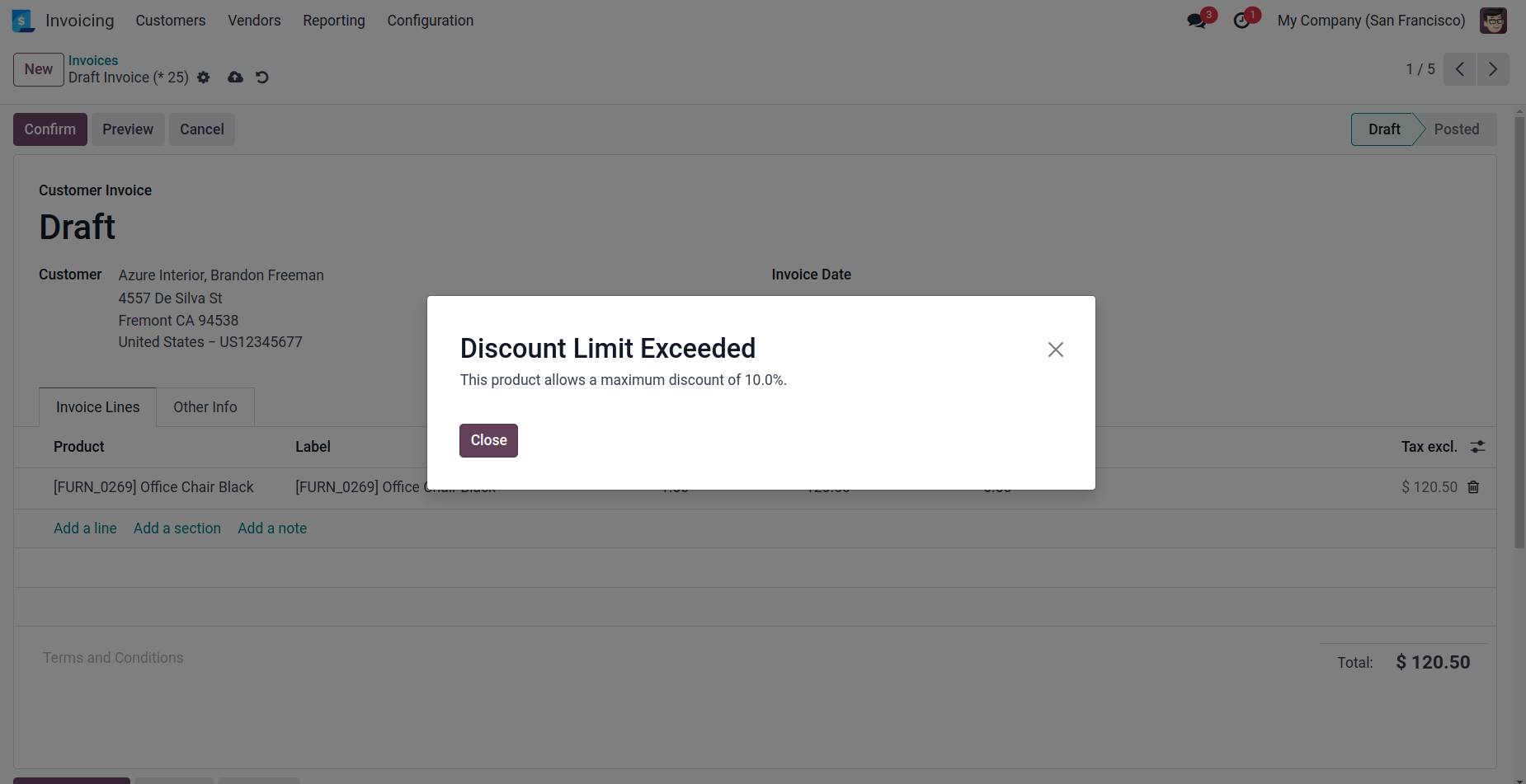
Product: If a discount limit is set on the product, it will be enforced first. If exceeded, a warning is shown.
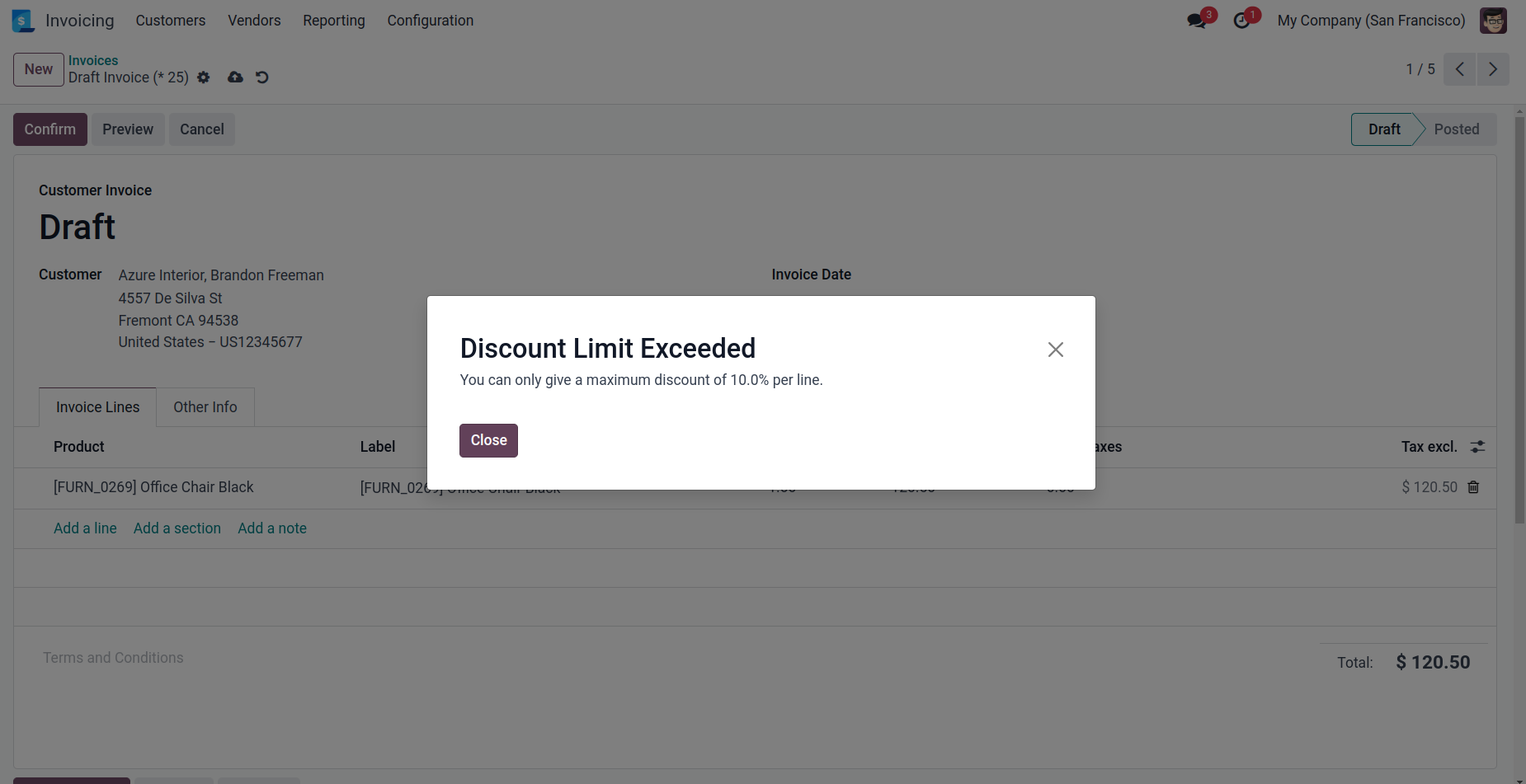
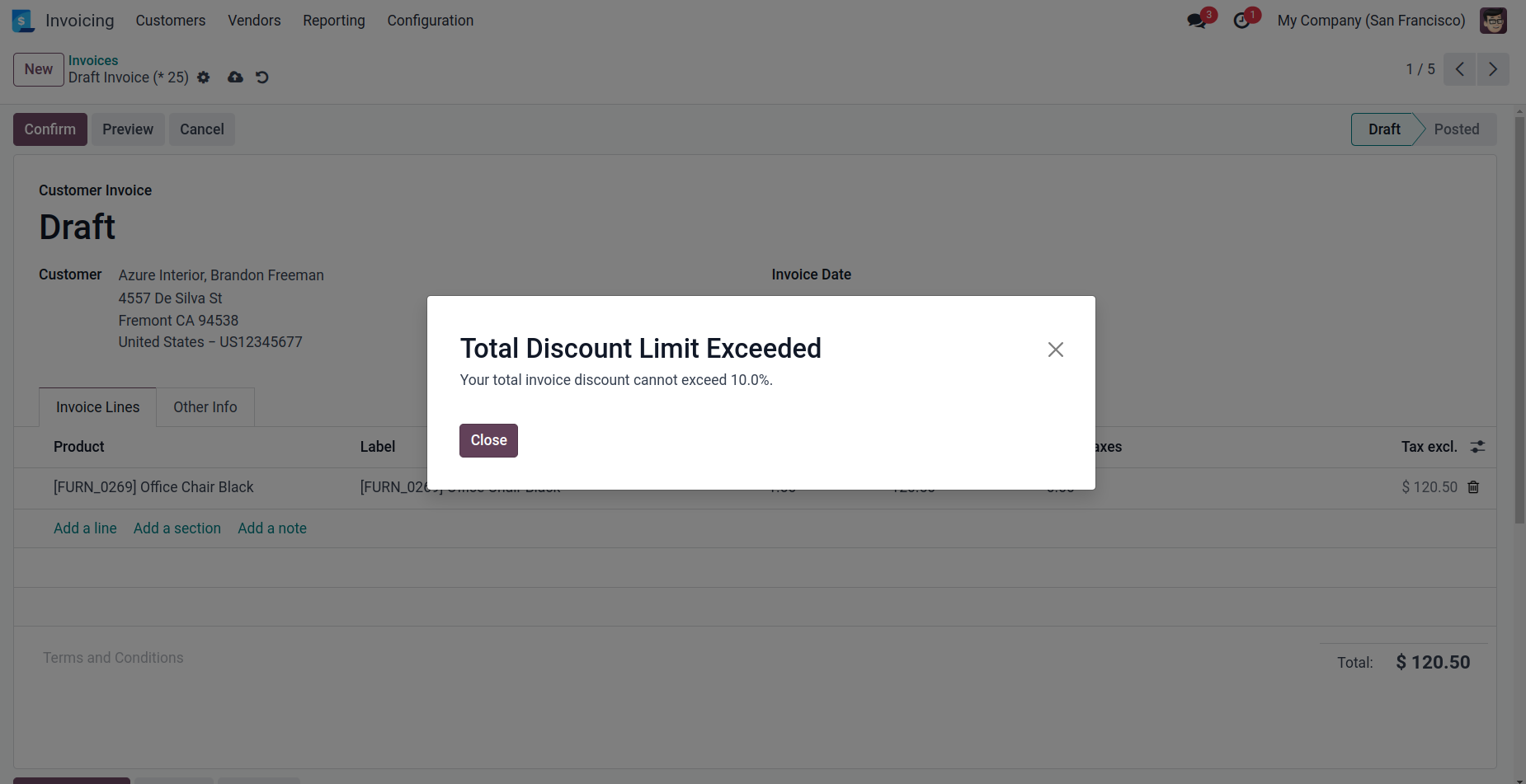
User: If no product limit is set or it is satisfied, the user’s discount limits (per invoice line & total bill) will be checked. If exceeded, a warning is shown.
Company: If no user limit is set or it is satisfied, the company’s discount limits will be enforced. If exceeded, a warning is shown.
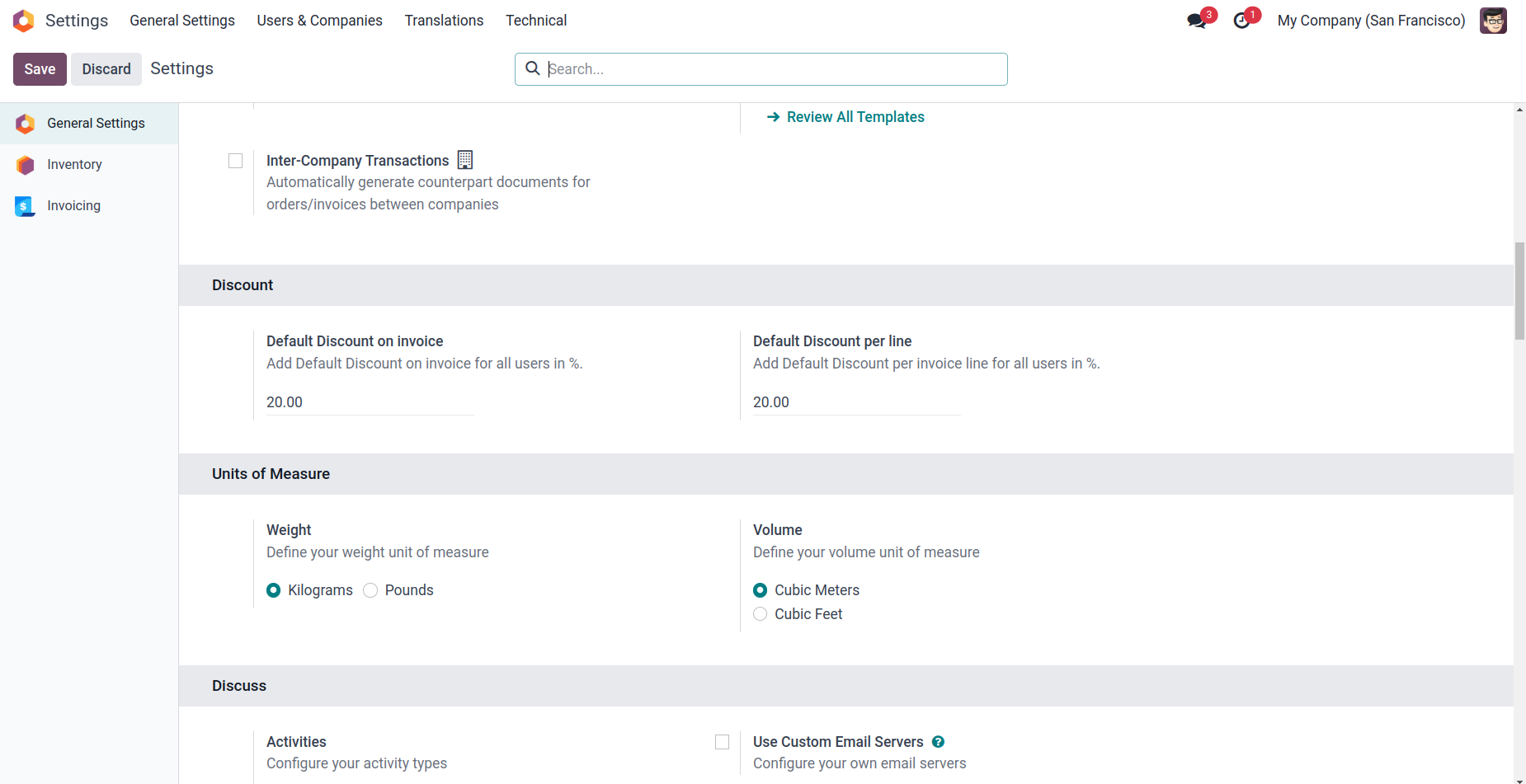
Define the maximum discount percentage allowed for the company.
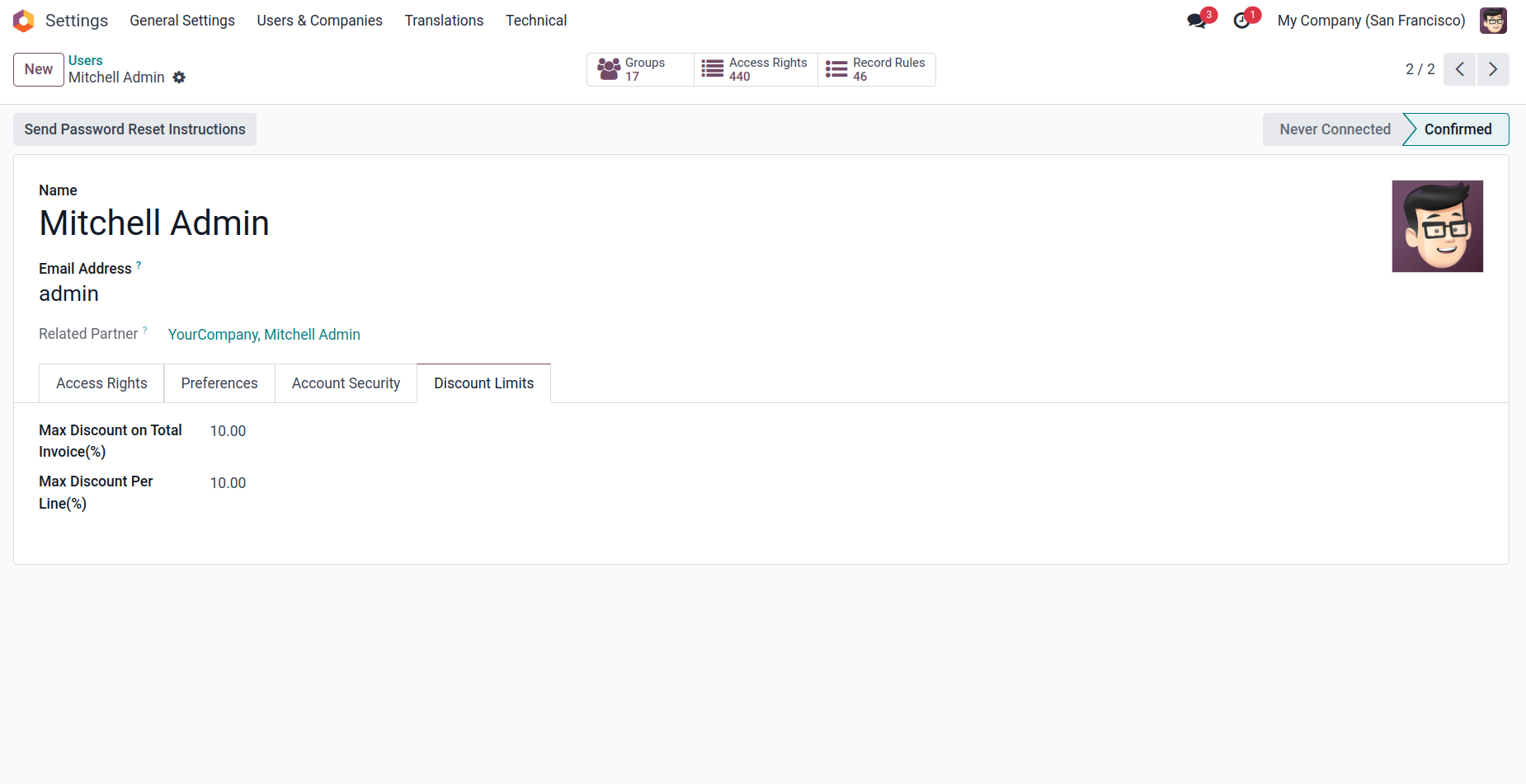
Define the maximum discount percentage allowed per user.
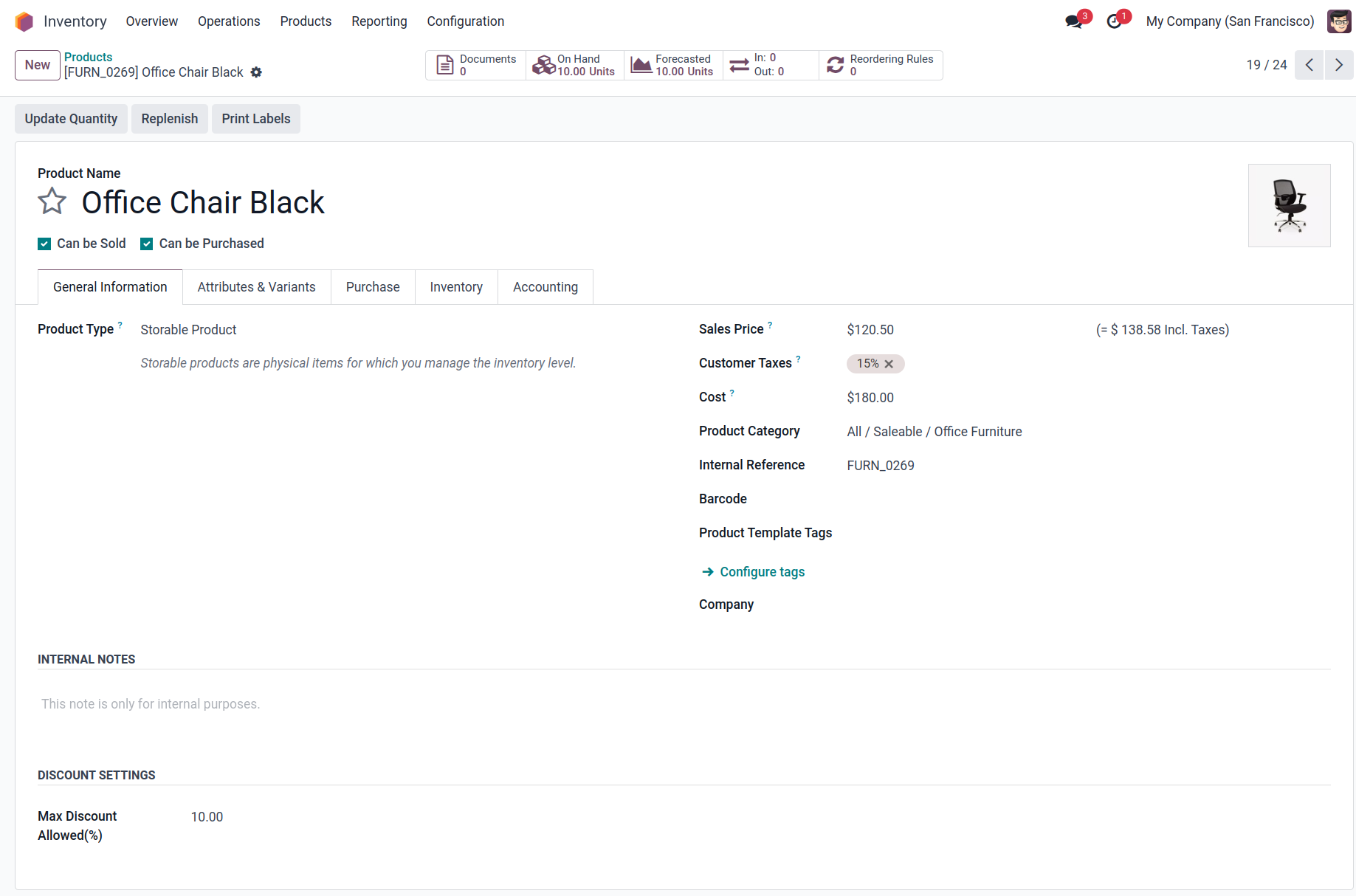
Define the maximum discount percentage allowed per product.
When a discount exceeding the product's maximum allowed limit is entered, the system prevents its application and displays a warning message.
When a discount exceeding the maximum allowed limit per line is entered, the system prevents its application and displays a warning message.
When the total discount applied to an invoice exceeds the maximum allowed limit, the system prevents its application and displays a warning message.
Configuration & Customization
Designed for Odoo ease-of-use, this module requires zero technical knowledge to deploy. Simply install it and the functionality is ready to use. Our dedicated technical team is available for advanced customization to match your specific requirements.