

Customer Due Payment
This module allows you to manage customer due payments effectively, providing insights into outstanding invoices and payment statuses.
Detailed Description Module
This module generates Customer Account Statement report, providing a comprehensive overview of customers' invoices.
This ensures clarity in tracking customer payments and outstanding balances.
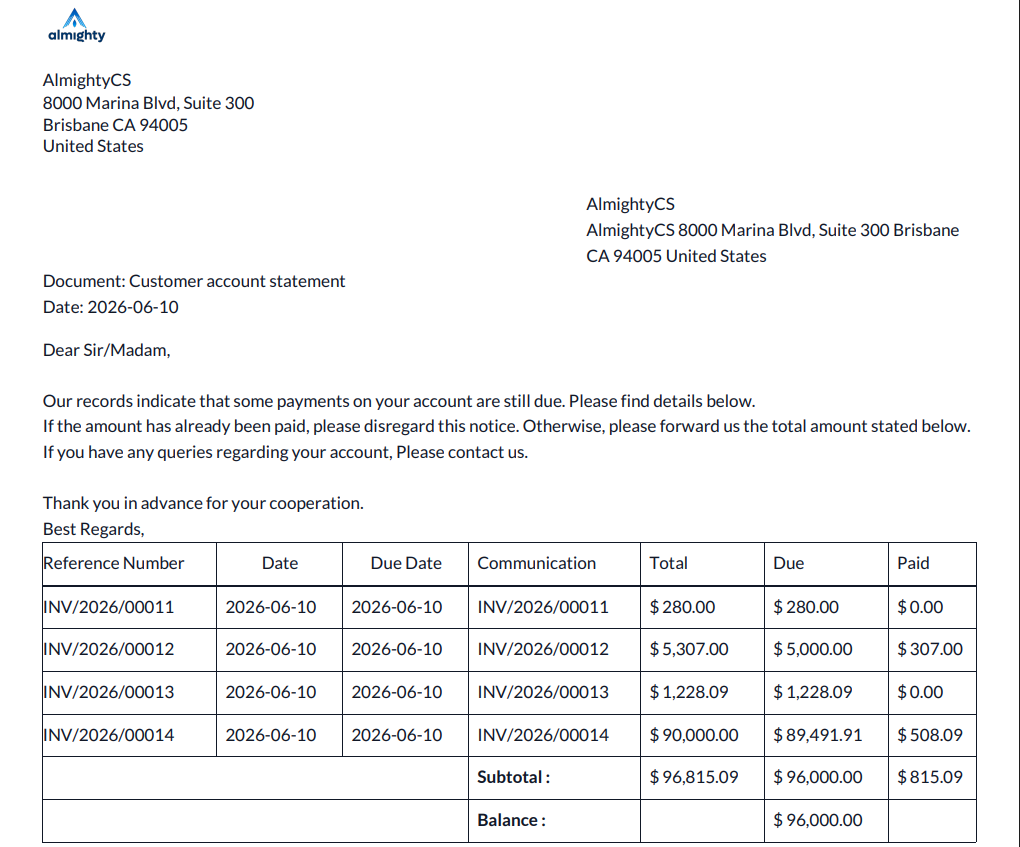
Added a Customer Due Payment report that displays each customer's outstanding invoice amounts.
If no payment is made, the full invoice amount appears as Due.
Note: For partially paid invoices, the report shows:
The remaining balance as Due.
The amount already paid as Paid.
The full invoice total as Total.
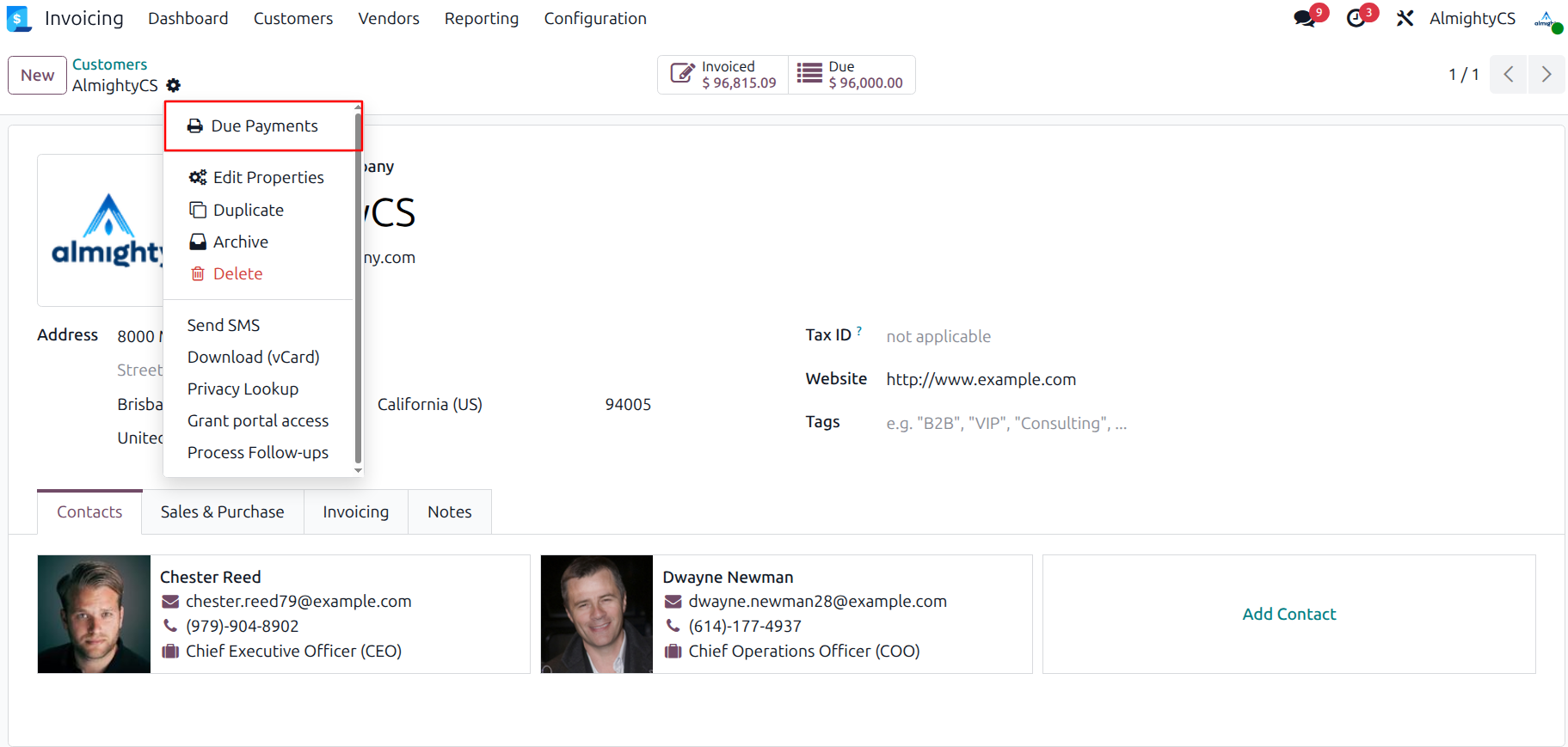
Click Due Payments from the Action button in the Customers form view to generate a report showing the customer's due amounts, payments, and balances.
This module generates a Customer Account Statement Report in this format.
Configuration & Customization
Designed for Odoo ease-of-use, this module requires zero technical knowledge to deploy. Simply install and manage customer account statement report, invoice, track payments and outstanding balances. Our dedicated technical team is available for advanced customization to match your hospital's specific protocols.